How a fly-in runs on the new website, from requesting your date(s) to handing the money to the Treasurer. Go one step at a time; each ends with a short checklist.
Same plan, one place. The website follows Bill Marvel's Fly-In Planning Guide step for step: the date first, the destination kept quiet until the rollout meeting, the flyer through the Fly-In Chair, checks payable to CPA and collected by the host, and the Roster / Accounting form to the Treasurer at the end. It does not ask you for anything new. Everything it asks for is something the guide already has you gather for your flyer and your Roster / Accounting form. The website keeps it all in one place, so you type it once.
Step 1 of 10
Request your date(s)
This is the step the Planning Guide puts between September and December: tell the Fly-In Chair your date. Sign in, go to the Fly-In Planning page and press Create a Fly-In at the bottom, after the planning guides. Want a dry run first? Practice hosting first, next to it, walks you through every step with a make-believe trip. To see one finished, open the example fly-in (the button beside those two, also linked from your practice): every tab filled in, with made-up people, to study next to your own blank practice.
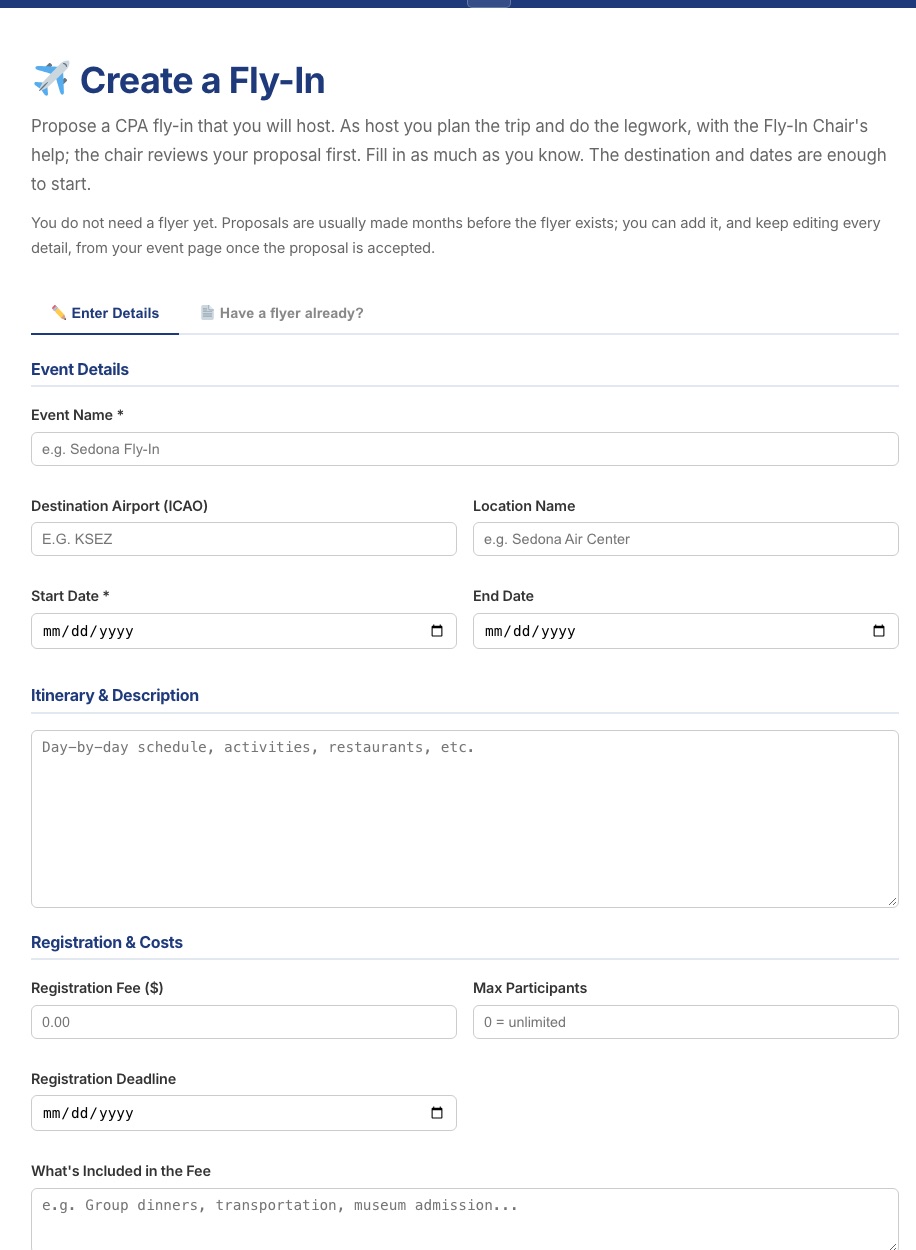
The form asks for only two things: Date(s) Requested and the Host. That is all the Planning Guide asks of a host at this stage. There is no box for the destination: it stays a surprise until the January rollout meeting, so nobody, the Fly-In Chair included, needs to know it yet. Want to talk a destination idea over first? Call or email the Fly-In Chair, who keeps it private.
Box
What to put in it
Where the Planning Guide asks for it
Date(s) Requested
Arrival Date (required)
The day everyone flies in.
September through December: "choose destination and date"
Departure Date
The day everyone flies home. Leave it blank for a one-day trip.
The same step
Host
Host Name and Host Email
Filled in from your account. You cannot change them here. The Fly-In Chair uses them to reach you about your date.
Flyer: "host name and contact info"
Everything else comes later, on your fly-in's management page (step 3), as each piece becomes known after your date is reserved: a name for the trip, the destination, the schedule, the cost, the hotel, photos and, about two months before the trip, the flyer. Your fly-in starts with no fee, because the cost is rarely known that early. Members can still sign up once it is on the calendar, and their sign-ups are your planning and priority list.
The Create a Fly-In form.
Send it
The calendar at the top of the form shows the days other fly-ins already hold (no destinations, no hosts), so pick dates that are not colored in. Press Reserve my date(s) at the bottom (or Cancel to leave without saving). If the dates are open they are reserved for you on the spot: you get an email headed "Date reserved", and the Fly-In Chair gets a "Date(s) Reserved" notice with your dates and your name. If another fly-in already has them, nothing is saved and you are shown the nearest open dates. Until you name it, your fly-in is called "Fly-in hosted by" and your name.
Checklist
Arrival date entered (and departure date, for a trip of more than one day)CHECK
Date(s) reservedCHECK
"Date reserved" email receivedCHECK
Step 2 of 10
The Fly-In Chair reviews it
Nothing goes public until the Fly-In Chair has looked at it.
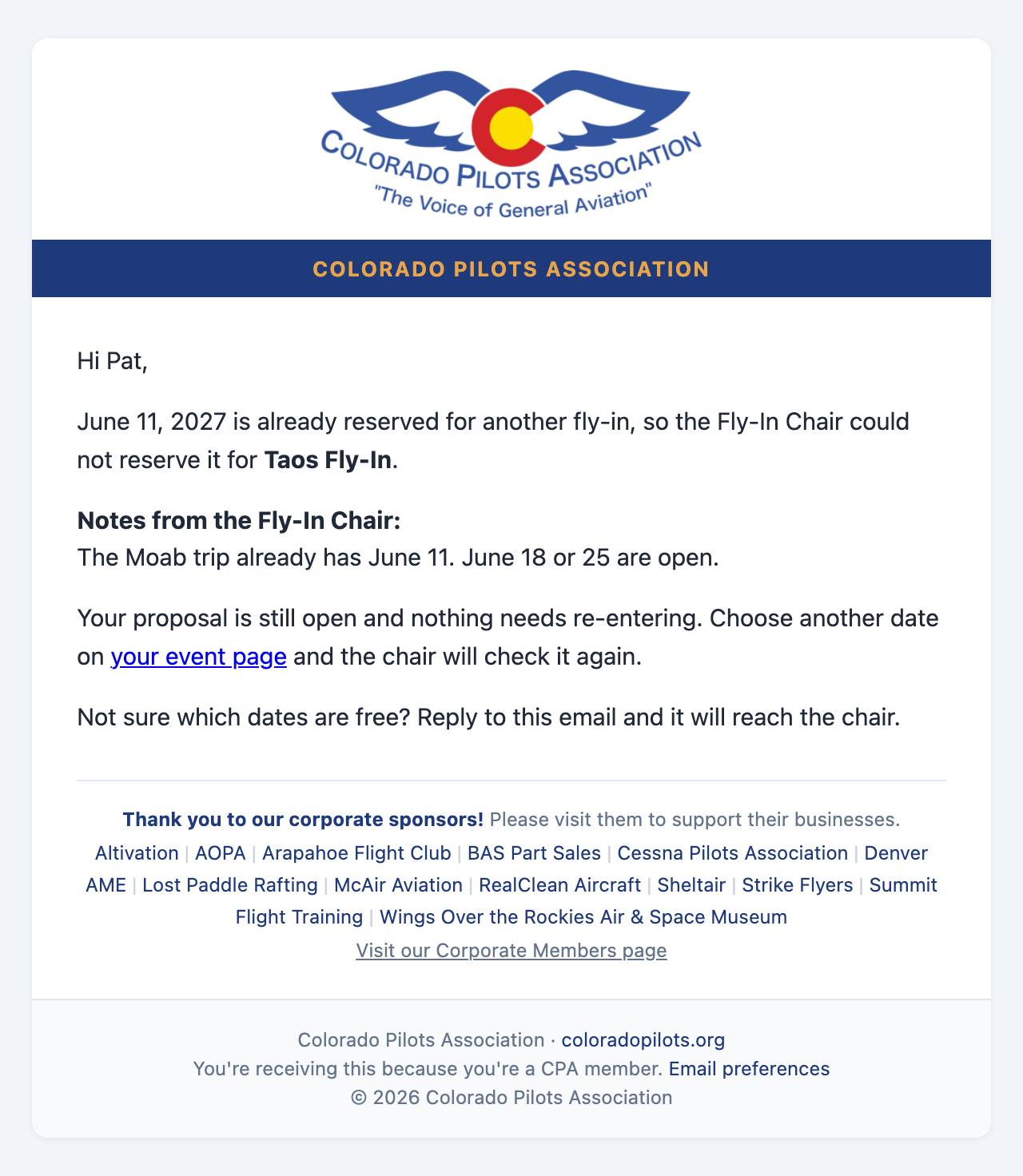
Your date: already reserved. If it clashes with something else in the season, the chair may ask you to move it; you get an email, and you choose another date on your event page.
The season rollout: confirmed fly-ins are announced together at the rollout meeting, so destinations stay a surprise until then.
Reminder in Flight Lines: three months before the trip, the Fly-In Chair sends Flight Lines a short reminder with your fly-in's name, your name and the destination. There is nothing for you to write. It appears in Flight Lines only, not on the website.
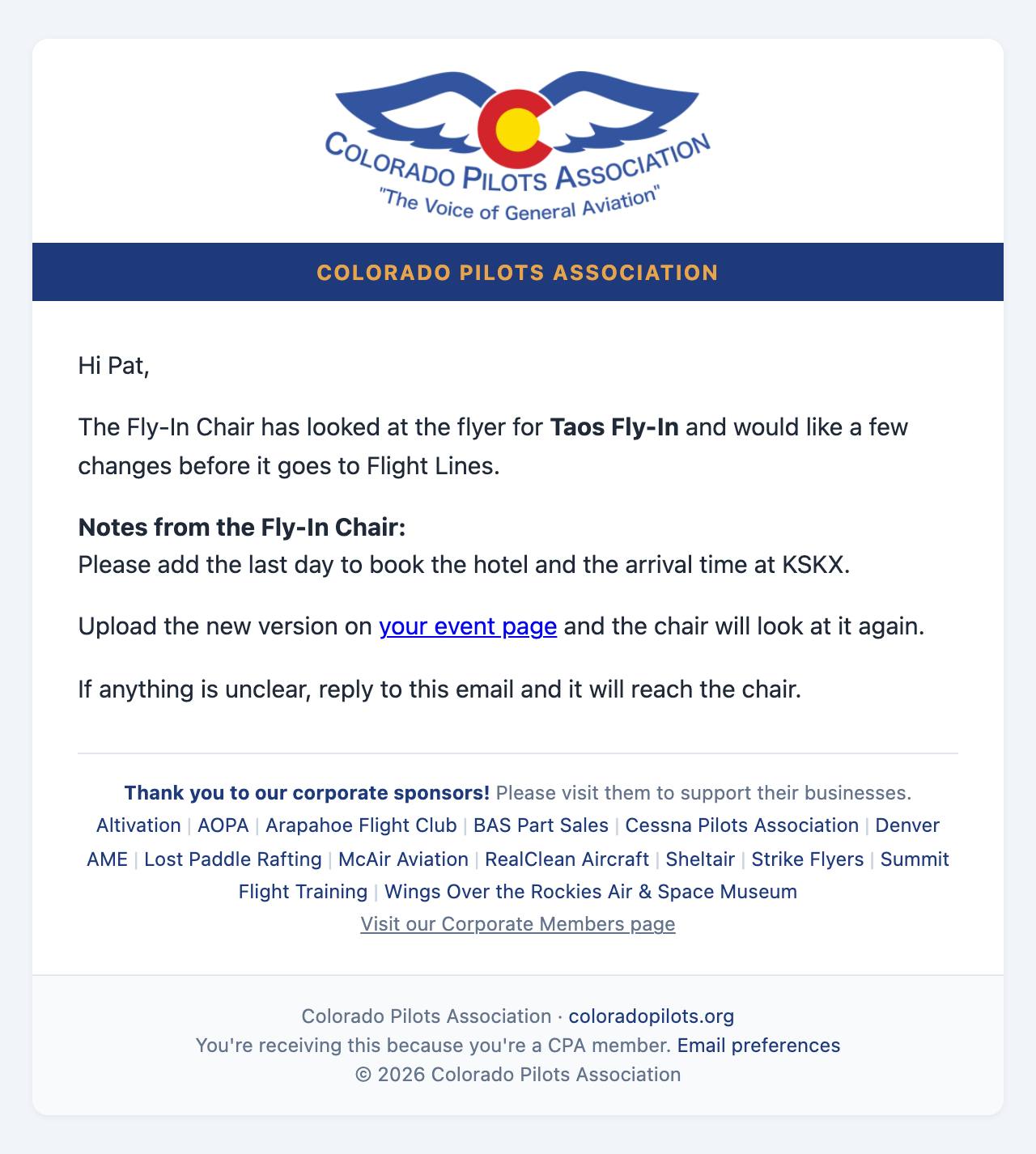
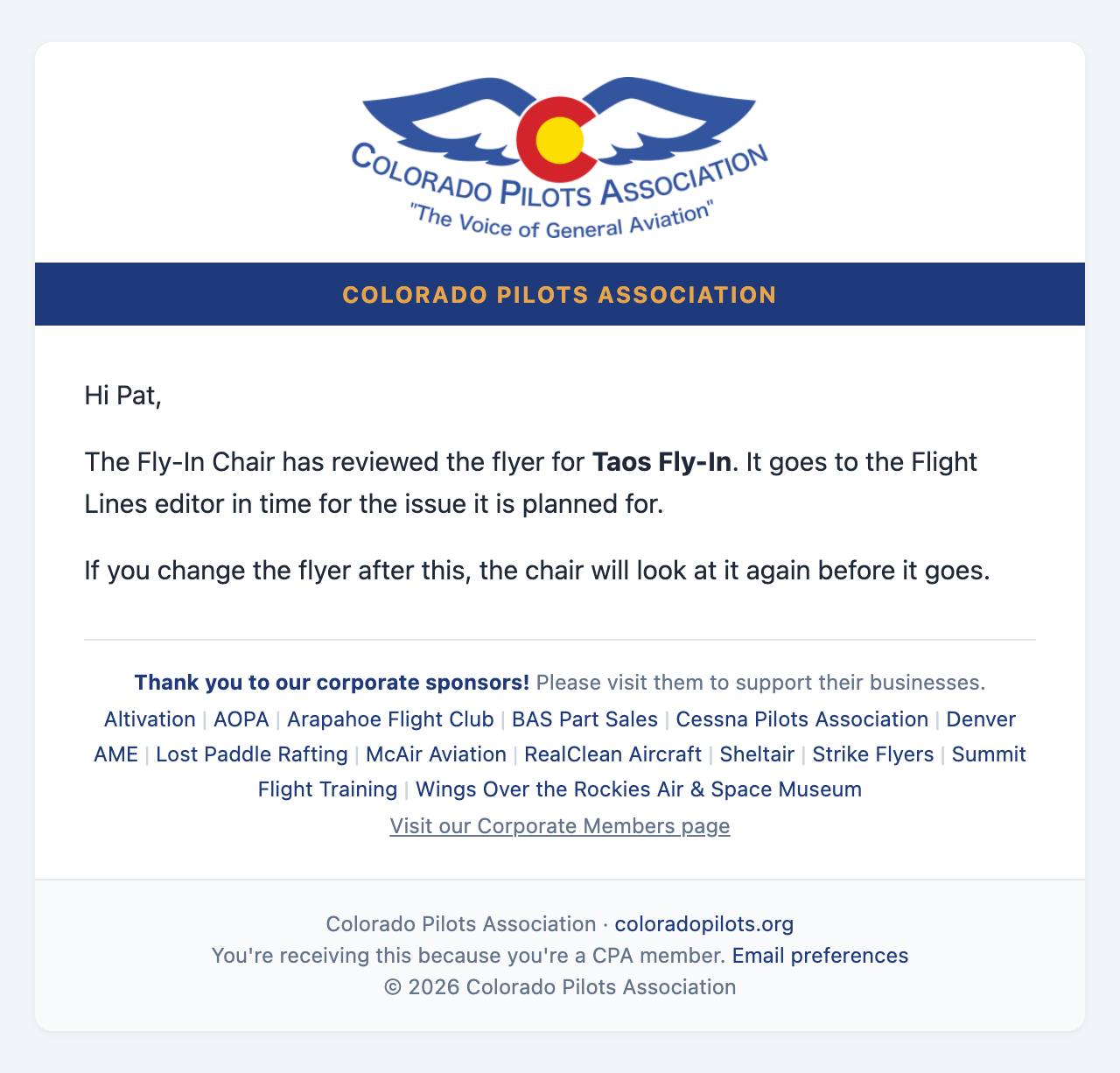
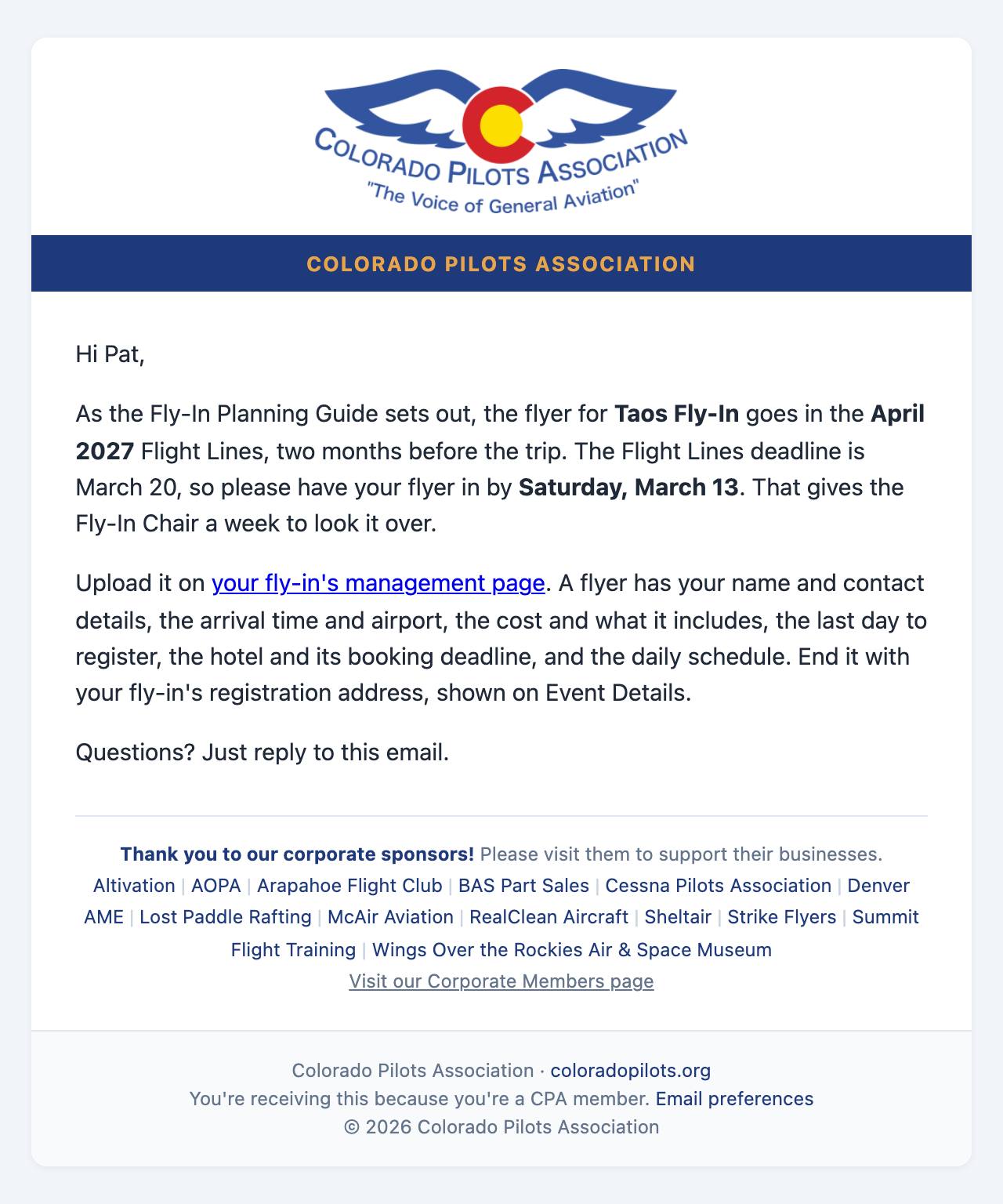
Your flyer: send it in from your event page. The chair proofreads every flyer and either approves it for Flight Lines or asks for changes. No flyer appears anywhere before it is approved. End your flyer with your fly-in's registration address, shown on Event Details (for example coloradopilots.org/fly/1234): members reading Flight Lines type it in and land on the registration form. Event Details shows when it is due: the deadline (the 20th) of the Flight Lines issue two months before your event. For an event on September 15 that is the July issue, due June 20. The site emails you a reminder three weeks before.
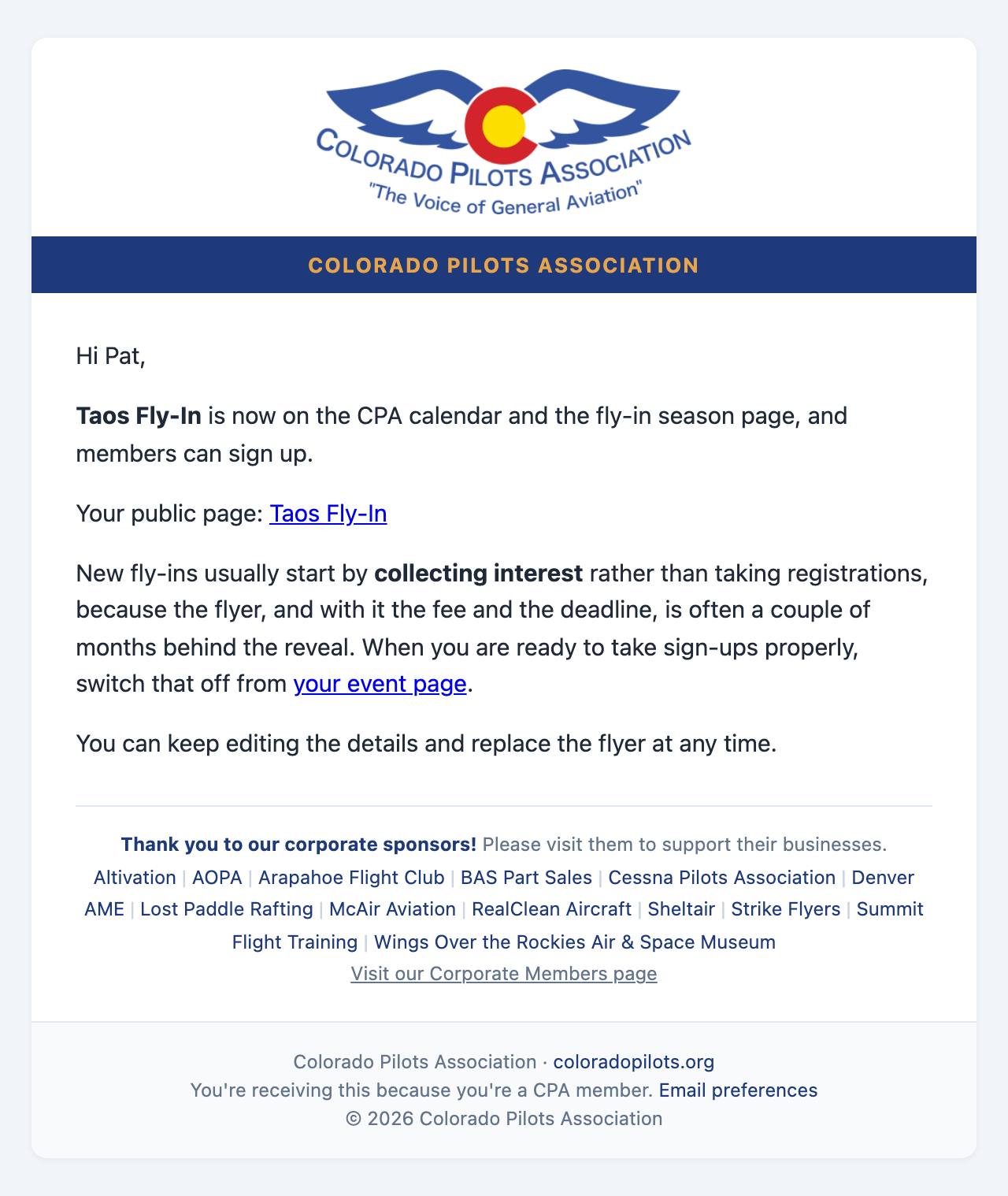
Going public: as the Planning Guide has it, your fly-in goes on the website and calendar right after the January rollout meeting, and registration opens then. Sign-ups in the order received are your planning and priority list, and the waiting list moves people up automatically. Your flyer goes live with the Flight Lines issue that carries it, two months before the trip.
The hotel, first on the list: before the flyer is out, the Planning Guide has you tell the first members on the list about the hotel, so nobody further down books ahead of them. On Event Details, enter the hotel and how many rooms are blocked, save, then press "Email the hotel details": the first that many sign-ups are emailed the hotel and asked to book right away. Press it again after more sign-ups or more rooms, and only the new ones are emailed. The hotel stays off your fly-in's public page until the flyer is out.
Cost to be announced: members can register before you know the final cost. Until you enter the fee, the sign-up form says the cost is to be announced. When you enter it on Event Details, everyone registered is emailed the final cost and, if they choose, can decide not to attend. Cards saved at sign-up are charged the final cost after the trip. To take a fee back off, tick "Cost to be announced" on Event Details and save: the fee box clears and stays locked until you untick it.
Checklist
Date reservedCHECK
Flyer approved for Flight LinesCHECK
Fee entered on Event DetailsBY THE FLYER
Step 3 of 10
Your fly-in's management page
Everything you do as host happens on one page, reached from your fly-in's event page. Its tabs follow the trip in order:
The tabs across the top of the management page.
Event Details: add and change anything about the trip: its name, the destination, the description, the cost and the hotel, the arrival and departure dates and times, and check where members mail their checks: your address on file, unless you choose a different one.
Roster: who signed up, and later, charging the cards.
Airplane Seats and Group Email: matching open airplane seats, and messages to everyone.
Activate Event and Check-In: on the day.
Photos: the trip album. You and your attendees add photos here, and they also appear under Event Photos on the fly-in's page, after yours, for whoever your "Show Roster To" setting lets see Who's coming. Anyone whose place is confirmed gets an Add My Photos button on the fly-in's page that opens this tab. Photos can be JPG, PNG or WebP, up to 10MB each.
Expenses, Summary and Financials: the money, after the trip. Financials holds your Financial Report for the Treasurer.
The page remembers which tab you were on, so saving something keeps you where you were.
Checklist
Details reviewed on Event DetailsCHECK
Address for checks confirmedCHECK
Step 4 of 10
Sign-ups and payments
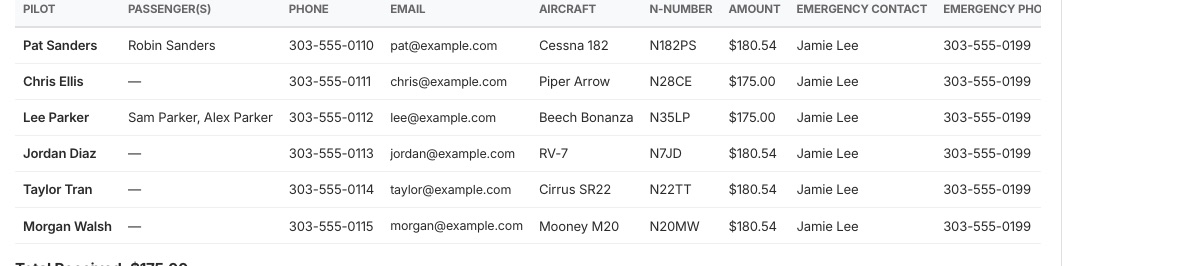
The Roster tab lists everyone who has signed up and updates as they do: passengers, phone, aircraft and N-number, what they owe, emergency contact, how they are paying and airplane seats. Anyone on their first CPA fly-in is marked First fly-in, so you can introduce them early, as the Planning Guide asks, and their name tag has a red First Fly-In band along the bottom instead of the usual blue one, the same at every fly-in. Members tick "This is my first CPA fly-in" when they sign up (or later, with Edit Registration), with a box of its own for each passenger, and you can tick it for anyone you add yourself. Generate Name Tags prints a tag for every passenger too, with their pilot's home airport and airplane, and a first-time passenger gets the red band. Anyone who ticked "I'm bringing my own name tag" is marked Own name tag, and Generate Name Tags prints none for them or their passengers, so you need fewer tags and holders. Members can tick "Willing to drive a rental car" when they sign up, and the roster says Offered to drive, so you can see who to ask before you use the Group Email tab to find more. Once the rental cars are lined up, tick Driver for each person driving; their name tag gets a yellow Driver band, the same at every fly-in. Someone who is both a first-timer and a driver gets the band split, red and yellow. A member with more than one airplane picks the one they are flying when they sign up, and the roster, the roster email and name tags show that one. They can change it later with Edit Registration on the fly-in's page, which offers the same choice.
The roster.
Sign-ups by phone or mail
Some members call you or mail in a form rather than signing up on the website. Under the roster, open Add an attendee who signed up by phone or mail, type in their details and press Add to the roster. They pay by check: choose whether their check has already arrived; if not, they show as Not paid until you mark it received. Leave the amount blank for the fly-in's cost; an amount you type, such as a discount, stays as you typed it if the cost changes later. An email address is optional; with one, you can email them the usual confirmation. If the trip is full they go on the waiting list, like anyone else. Their row is marked Added by host.
What Total Received counts
Total Received, under the roster, is money actually in: checks marked received and cards already charged. The roster's Payment column says the same for each person: Paid: check received, Paid: card charged, Card submitted (charged by you after the trip) or Not paid. The line beneath the total adds up the cards submitted still to come and the sign-ups not paid yet.
When the trip fills up
Once your place limit is reached, later sign-ups go on a waiting list in the order they signed up. If someone cancels, the next person moves up automatically and gets an email.
How members pay
By card: the member types their card on Stripe's own secure page, never on CPA's website. Stripe keeps the card; the website and the host never see the number. Nothing is charged at sign-up; you charge the cards after the trip (step 6).
Card processing fee: 2.9% plus 30 cents is added to a card payment, so CPA receives the full fee. Members see it before they choose. Paying by check or by bank transfer has no fee.
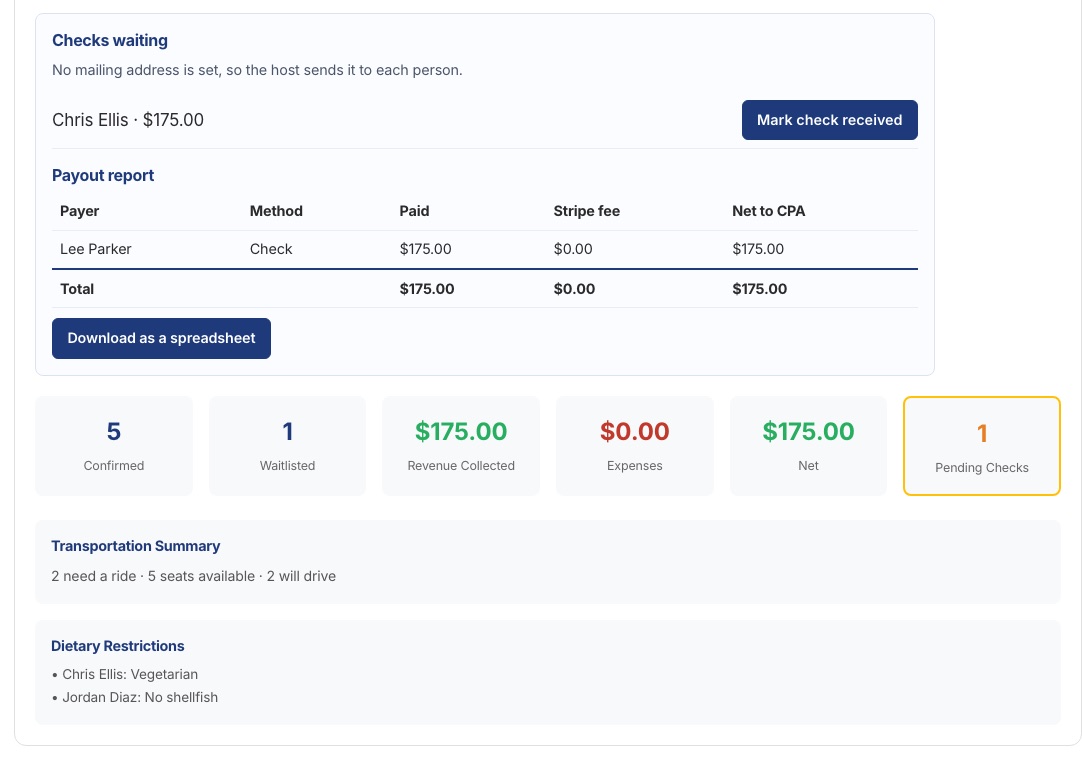
By check: always payable to Colorado Pilots Association and, as the Planning Guide sets out, mailed to you. Members who choose check are given your address in their confirmation email: the one on your membership record, or a different one you choose on Event Details. If neither is there, they are told you will send it, so check the address on Event Details before sign-ups open. When one arrives, press Mark check received on the Summary tab and keep it with the others. You send them all to the Treasurer after the trip (step 8).
Checklist
Roster watched as sign-ups arriveONGOING
Each check marked receivedAS THEY ARRIVE
Step 5 of 10
Before the trip
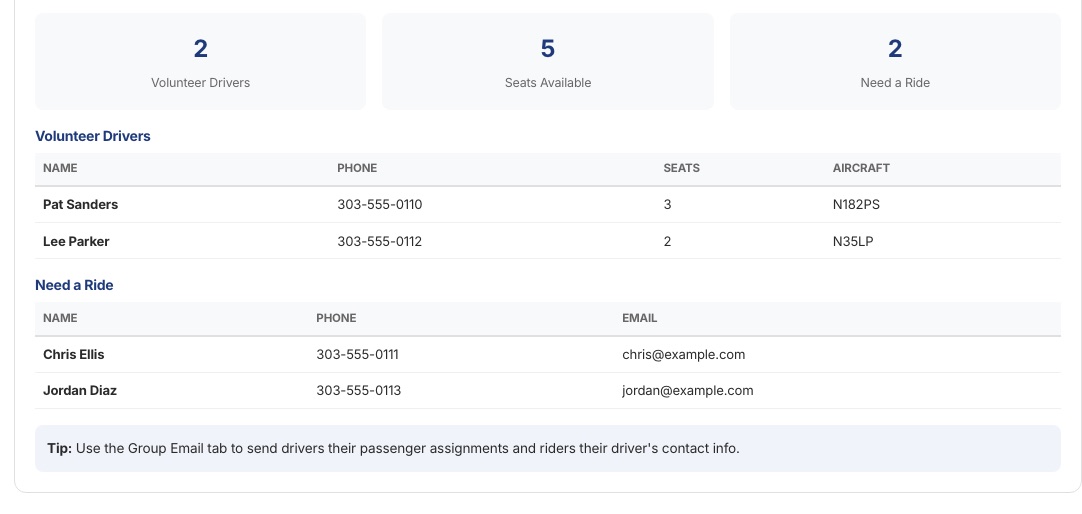
Airplane Seats shows the pilots with open seats in their airplane and the members who need a seat, with their phone numbers. As the Planning Guide says, they work it out themselves, with the phone and email on the roster you send everyone, and let you know who is flying with whom; the tab is there if someone needs a hand. The sign-up form asks every member both questions.
Group Email sends a message to everyone signed up: the hotel details, the plan for the day, a weather call.
Send the roster to everyone coming, on the Group Email tab, is the roster portion of the Roster / Accounting form, which the Planning Guide asks you to email to all attendees. Following the guide's roster columns, it lists each pilot, passengers, pilot cell phone, email, aircraft, N-number and home airport, with the air-to-air frequency 122.75. The phone and email are the ones each person gave when signing up; the sign-up form tells them these go on the roster you email. Emergency contacts and amounts paid are left off. Add a note if you like (fuel, tie-downs, where to meet), then press Email the roster. Each person gets their own copy. Print or save as PDF shows exactly what they get. Send it again if people sign up or drop out.
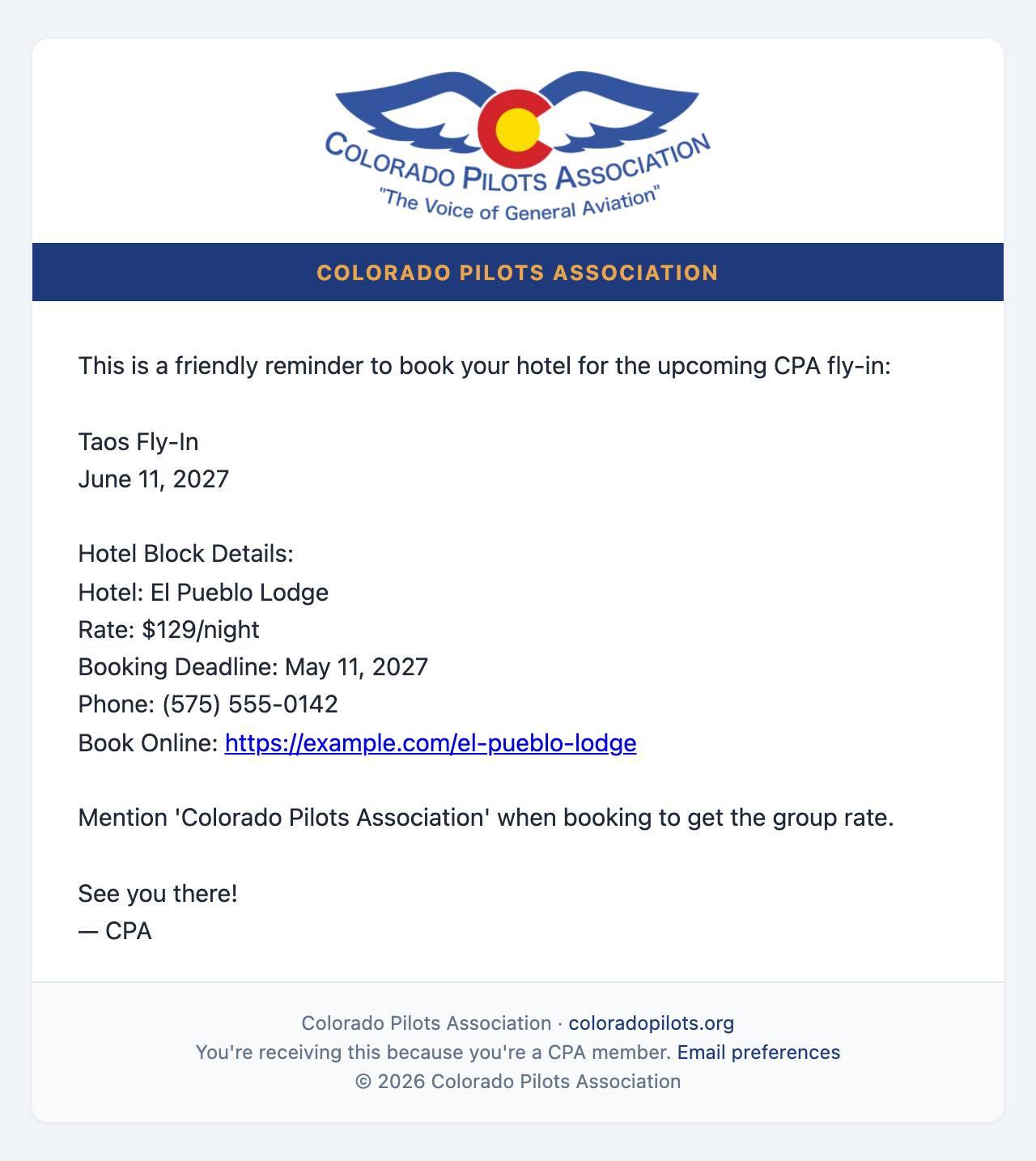
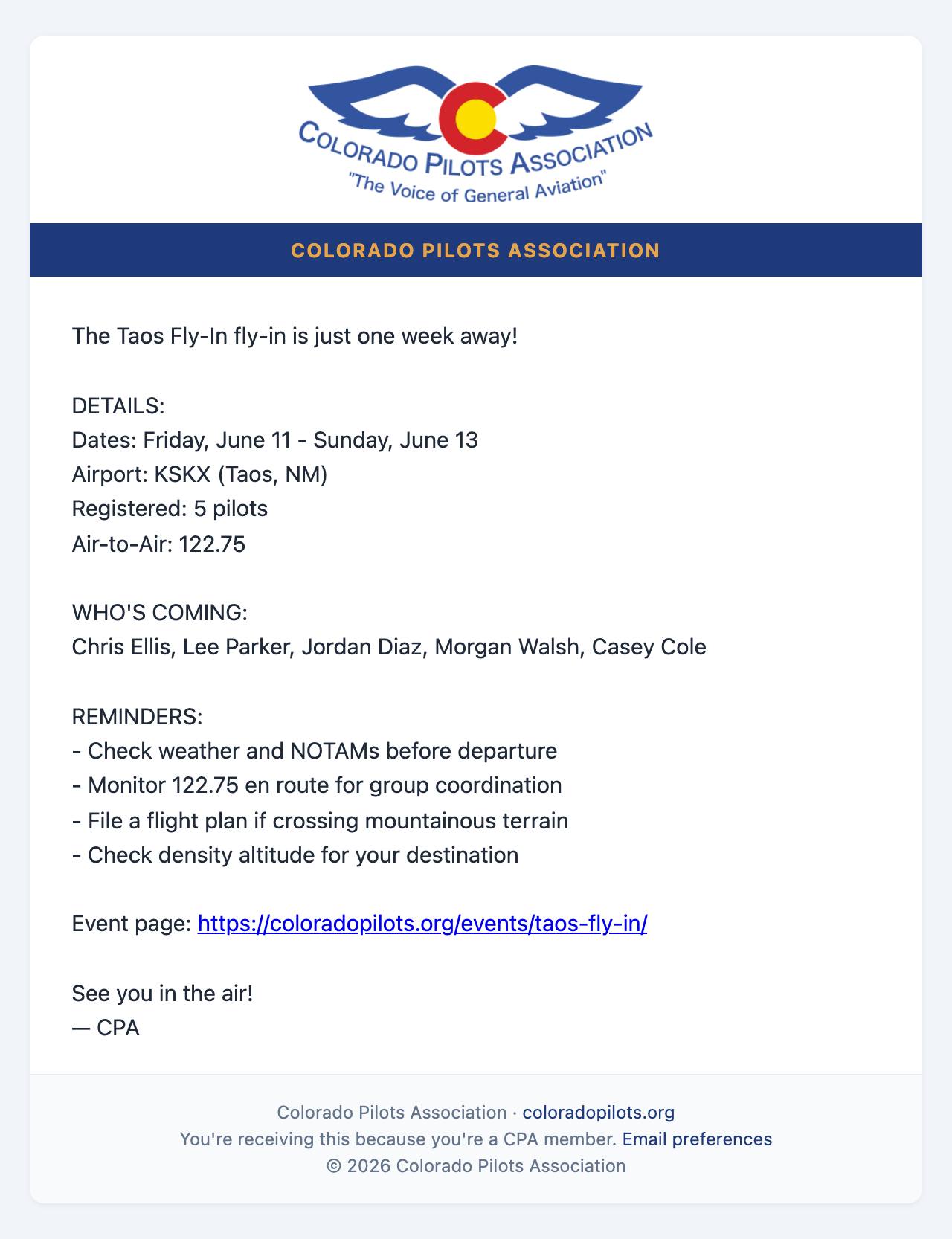
Reminder emails before the trip, at the top of the Group Email tab, is an on/off switch for the automatic emails: one week before (who is coming, and the air-to-air frequency 122.75), and a hotel reminder 30 days before if you have a hotel block. The Planning Guide asks you to assign 122.75 before the trip; the one-week email does that for you. Turn it on early: an email whose date has already passed is skipped. Fuel, tie-downs and the schedule still come from you by Group Email.
Airplane Seats: pilots with open seats, and who needs a seat.
Checklist
Airplane seats matchedCHECK
Roster emailed to everyone comingCHECK
Final details emailed to the groupCHECK
Reminder emails on (or your own sent)CHECK
Step 6 of 10
After the trip: charge the cards
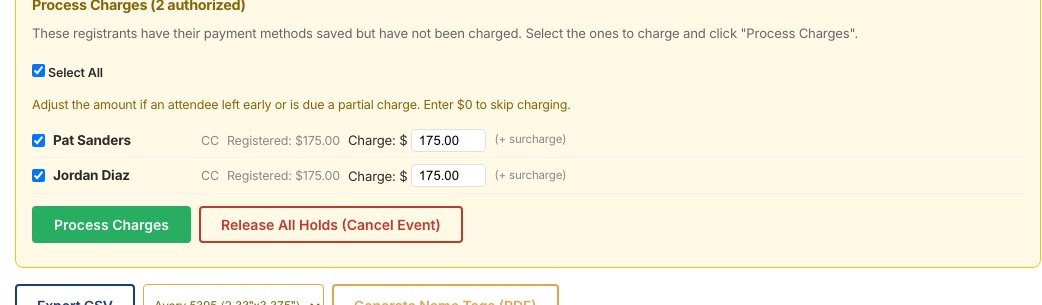
Once the final cost is known, go to the Roster tab and find Process Charges under the list. It shows everyone whose card is saved.
Untick anyone you should not charge, and change an amount if someone left early or owes a different figure. Enter $0 to skip someone.
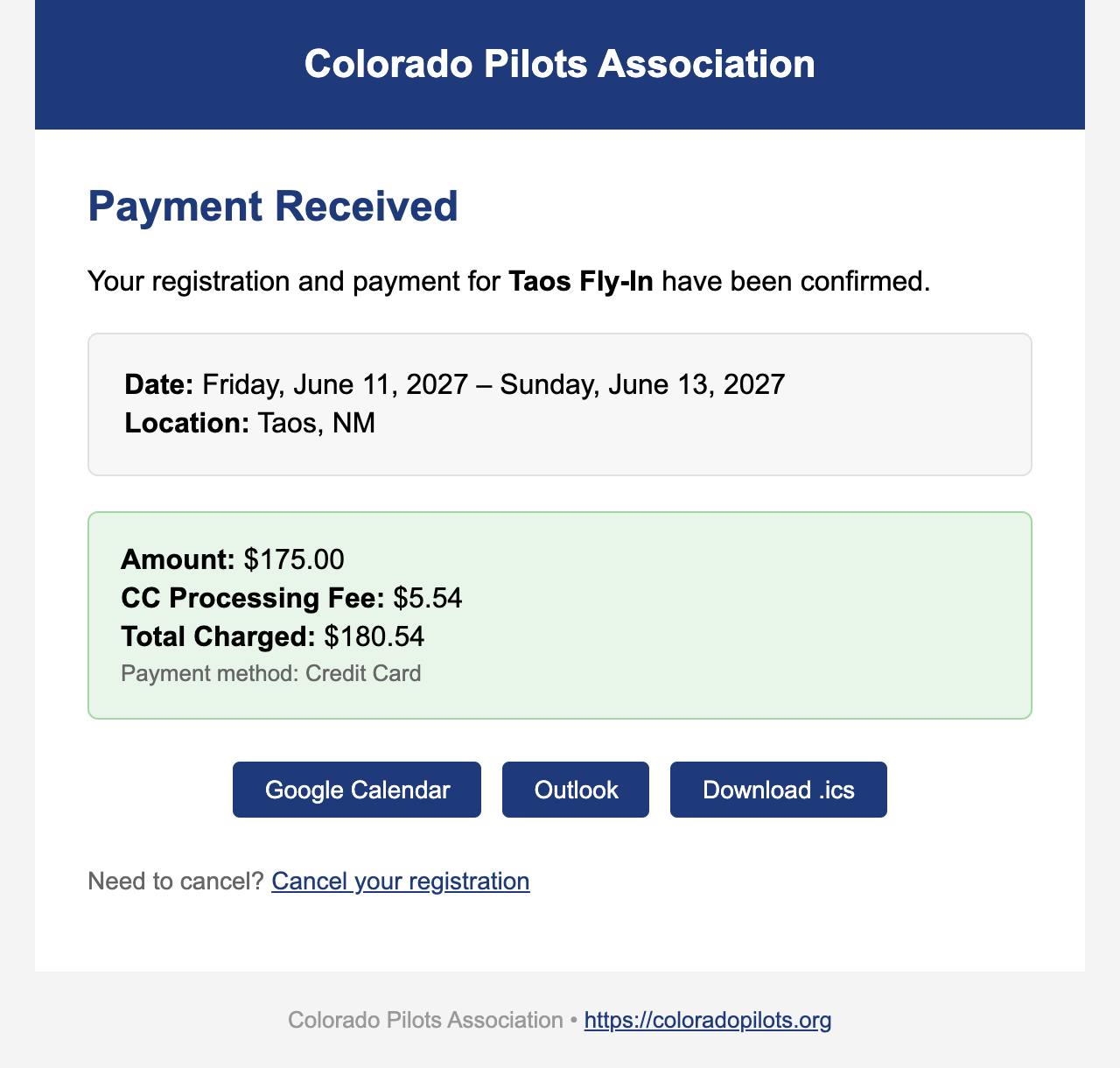
Press Process Charges. Each member gets a "Payment Received" email.
The money goes from Stripe straight into CPA's bank account, which the Treasurer manages. It never passes through you.
If a member cancels after paying, the refund goes back to their card through Stripe automatically.
Process Charges, with the amount for each person.
Only the host, the Fly-In Chair and the Treasurer can press Process Charges.
Checklist
Amounts adjusted where neededCHECK
Cards chargedCHECK
All checks marked receivedCHECK
Step 7 of 10
Log your expenses and any refunds
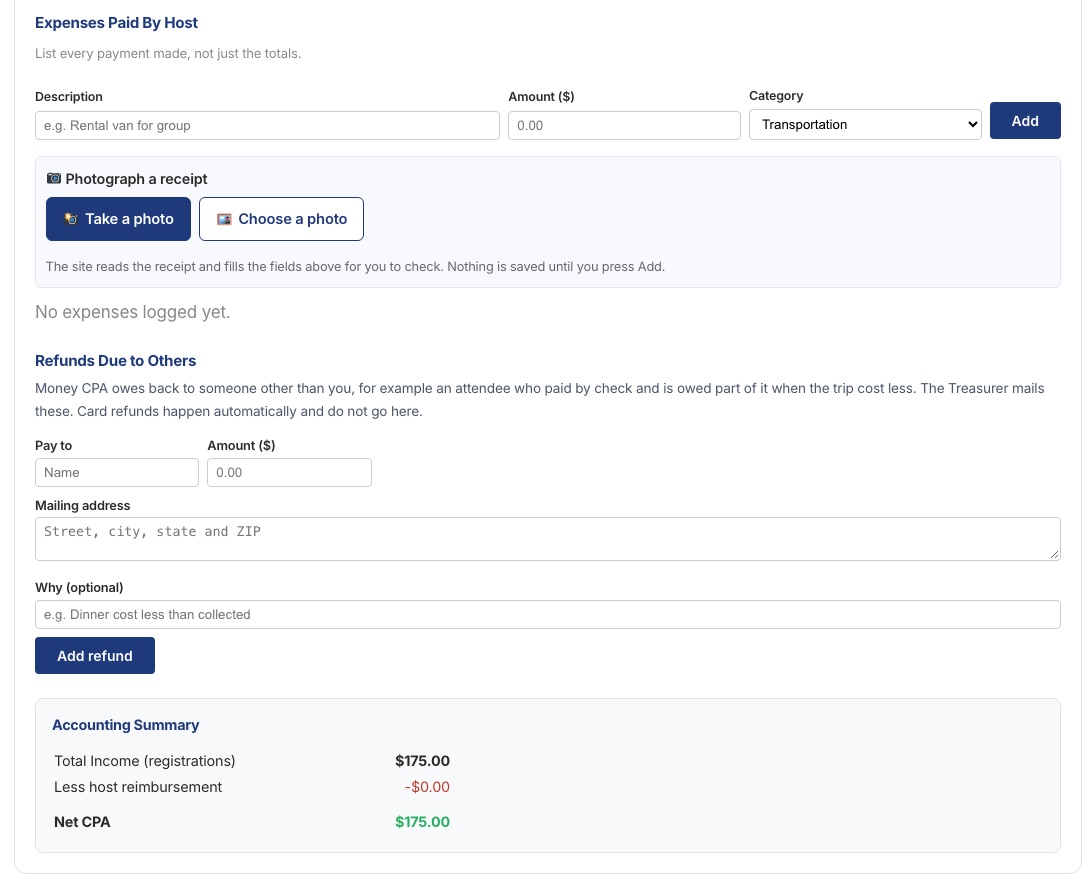
On the Expenses tab, list every payment you made yourself, not just the totals: the van, the group dinner deposit, tour tickets.
Use your phone for receipts. The photo is on your phone, so add it from your phone: sign in to coloradopilots.org on the phone, go to My Account, then My Events, open your fly-in under "Fly-ins you're hosting" and go to the Expenses tab. On a computer, Choose a photo or PDF only finds pictures already saved on the computer.
Take a photo opens your phone's camera; Choose a photo or PDF uses one you already have. The site reads the receipt and fills in the description, amount and category for you to check. When you press Add, the receipt is kept with the expense.
One photo for each receipt. Each expense line takes one photo or PDF, kept with that line. Five receipts means five lines, each with its own photo, so every amount on the report has its receipt beside it.
Receipts reach the Treasurer. The Treasurer and the Fly-In Chair can open each receipt from their dashboards; nobody else can. There is nothing to email. A receipt is optional, and Attach on any line adds one later (or Replace swaps it).
Mail the paper too. Send the paper receipts with your checks, as the Planning Guide describes.
Reimbursements and Refunds Due to Others: section 3 of the Roster/Accounting form. If CPA owes money to someone other than you, for example a driver who put the rental car on their own card, or a check payer owed part of it back, add their name, mailing address and amount. The Treasurer mails these. Card refunds happen automatically and do not go here.
Worked example: an attendee buys fuel for the rental car
An attendee puts $20 of fuel in the rental car and gives you the receipt.
If you paid them back on the spot: it is now your expense. Add a line such as "Fuel for rental car, paid back to Pat" for $20, press Take a photo, photograph their receipt, and press Add. CPA repays you with the rest of your expenses.
If CPA should pay them directly: under Reimbursements and Refunds Due to Others, add their name, $20, their mailing address and "Fuel for rental car". The Treasurer mails them a check. That list has no photo slot, so write their name on the paper receipt and mail it with your checks.
The Expenses tab, with the receipt buttons and Reimbursements and Refunds Due to Others.
The Summary tab lists Payments received: each payment, the card fee Stripe kept, and the net to CPA.
The Summary tab: who has not paid yet, and Payments received.
Checklist
Every expense addedCHECK
Receipt attached to each expenseIF YOU HAVE ONE
Reimbursements due to others addedAS NEEDED
Step 8 of 10
Send the Financial Report to the Treasurer
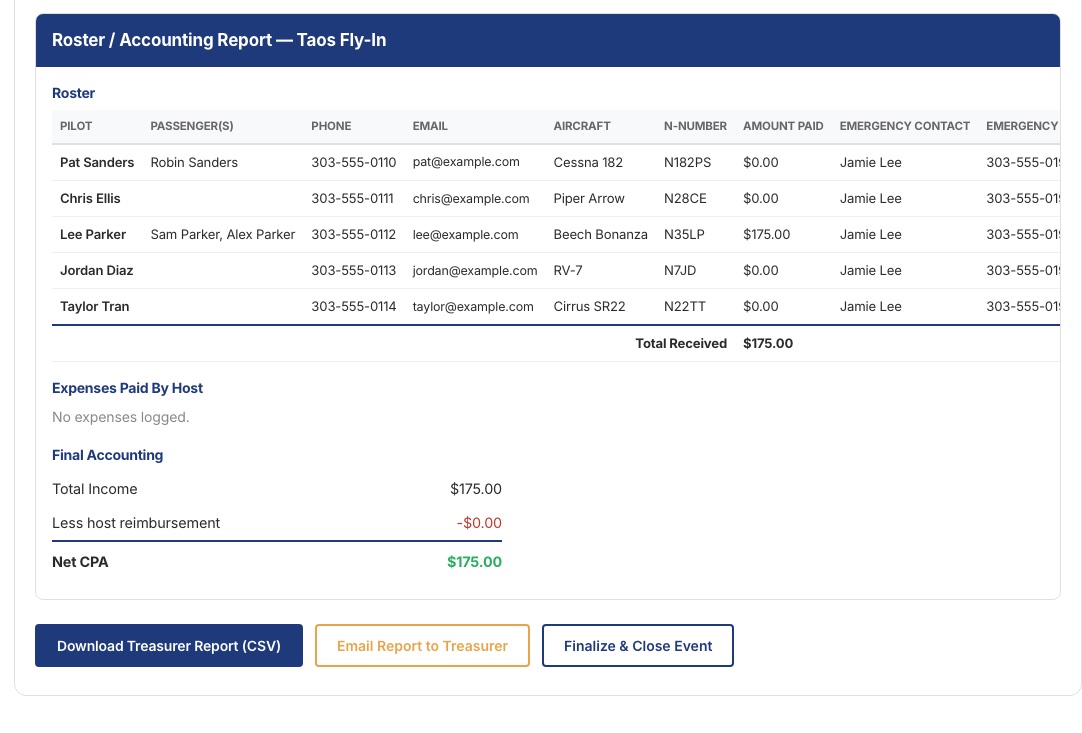
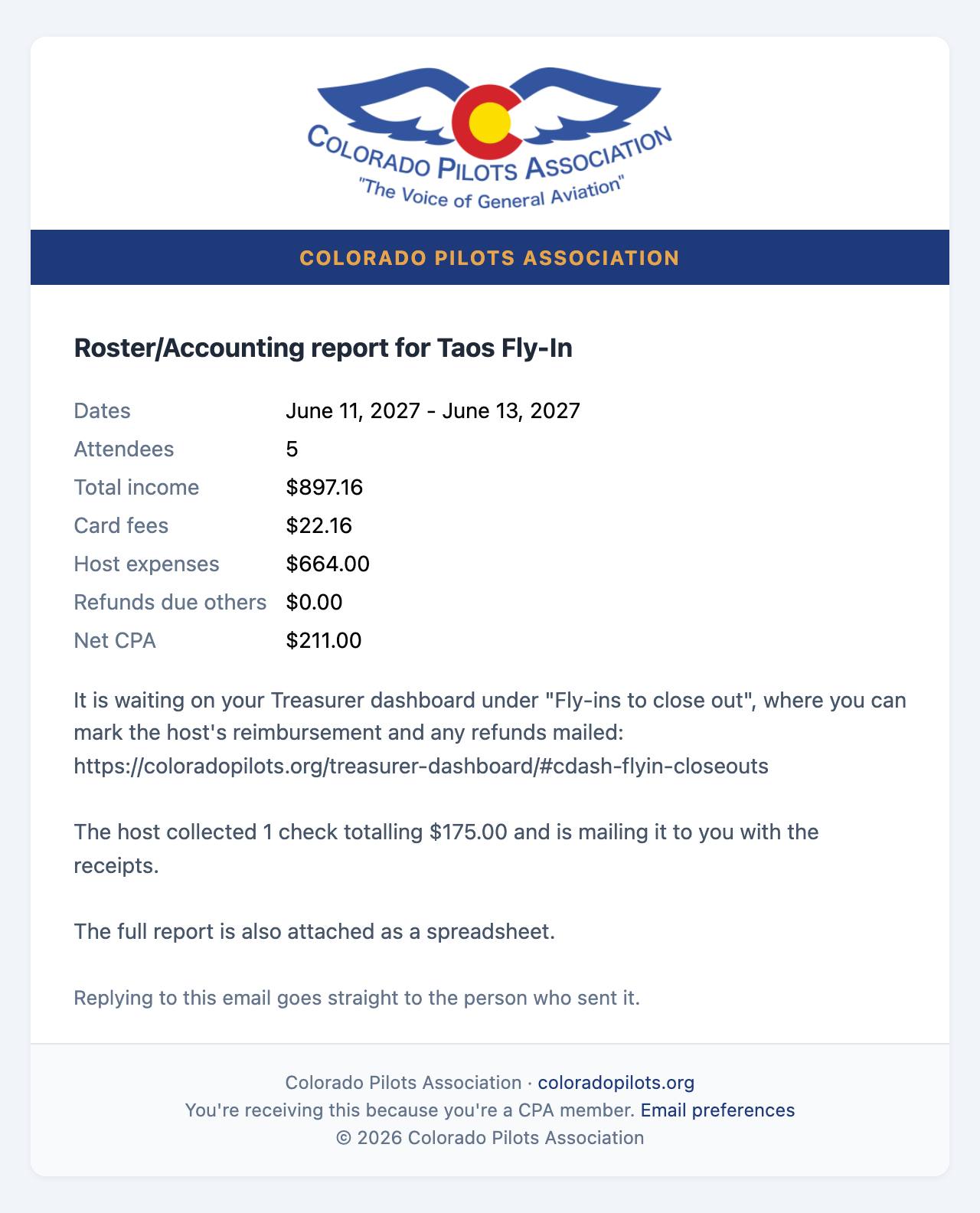
The Financials tab shows your Financial Report, which is the Roster / Accounting form the Treasurer has always used, on one page: the roster, all income, your expenses (from the Expenses tab) and reimbursements due others, with the summary:
Total income
what members paid, then the same split by card, bank transfer and check
Less card processing fees
what Stripe kept
Less host reimbursement
your expenses
Less reimbursements and refunds due others
from step 7
Net CPA
what CPA keeps
Your expenses are listed with a Receipt photo column, so you can see which lines the Treasurer will have a photo for.
Add your mailing address so the Treasurer can send your reimbursement check.
Mail the checks you collected to the Treasurer, with your receipts. Financials shows how many checks and the total, and the Treasurer's email says they are on the way. If a check was made out to you by mistake, endorse it to CPA first.
Press Email Financial Report to Treasurer. Your fly-in also lands on the Treasurer's dashboard under "Fly-ins to close out". The Financial Report is the whole Roster / Accounting form, so there is no separate spreadsheet to fill in or send.
Press Finalize and Close Event. The tab then shows Event Complete.
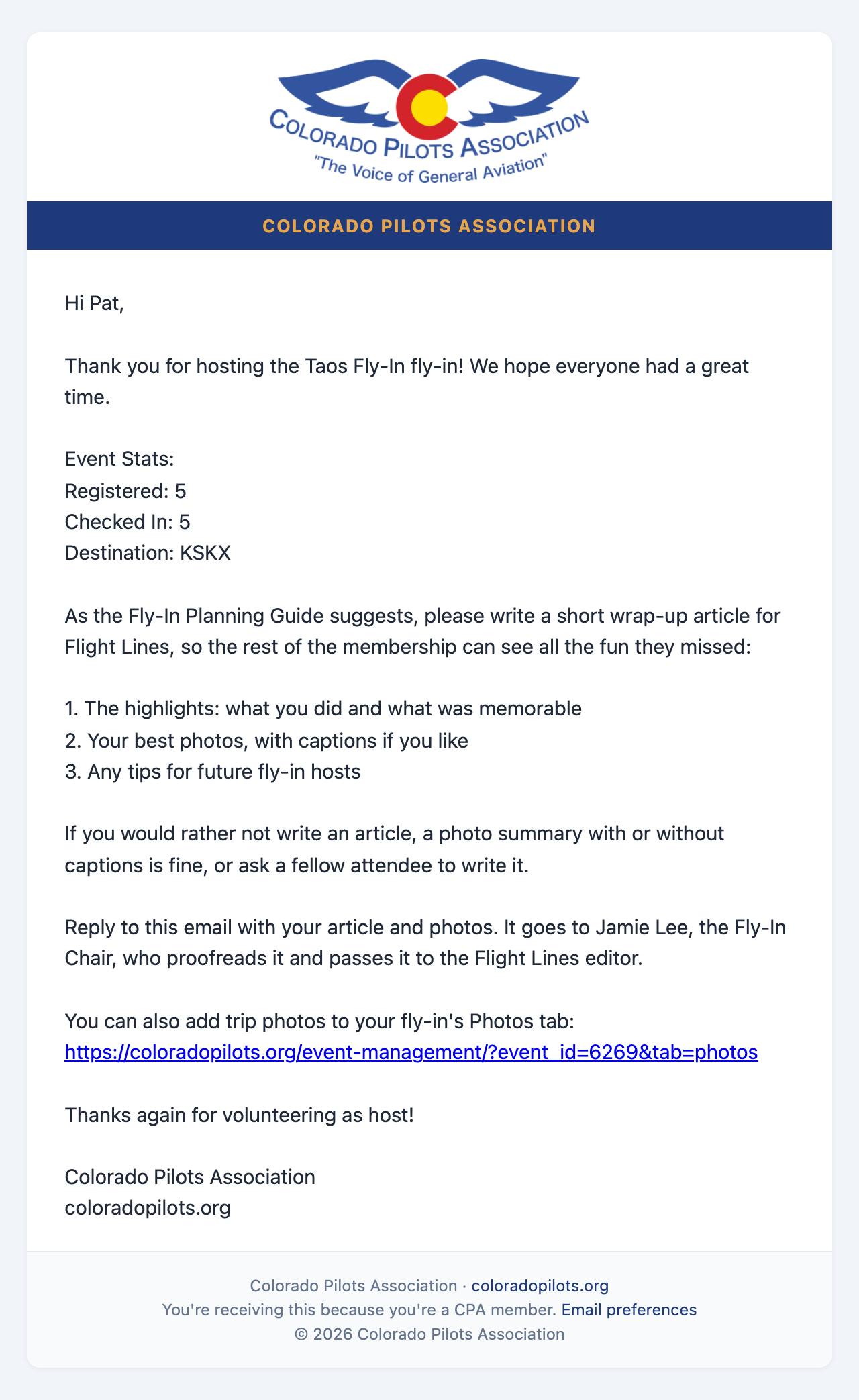
Three days later the site emails you asking for a wrap-up article or photo summary for Flight Lines. Reply with it: it goes to the Fly-In Chair, who proofreads it and passes it to the Flight Lines editor, as the Planning Guide describes. It appears in Flight Lines only, not on the website.
The Treasurer mails your reimbursement and any refunds, marks each one mailed, and records the fly-in in the books. You see "Reimbursement sent" on Financials when yours is on its way.
The Financials tab and the Financial Report the Treasurer receives.
Checklist
Mailing address addedCHECK
Checks mailed to the TreasurerCHECK
Financial Report emailed to the TreasurerCHECK
Event finalizedCHECK
Questions at any point: use the Contact page on the website and ask for the Fly-In Chair.
Step 9 of 10
Who gets which email
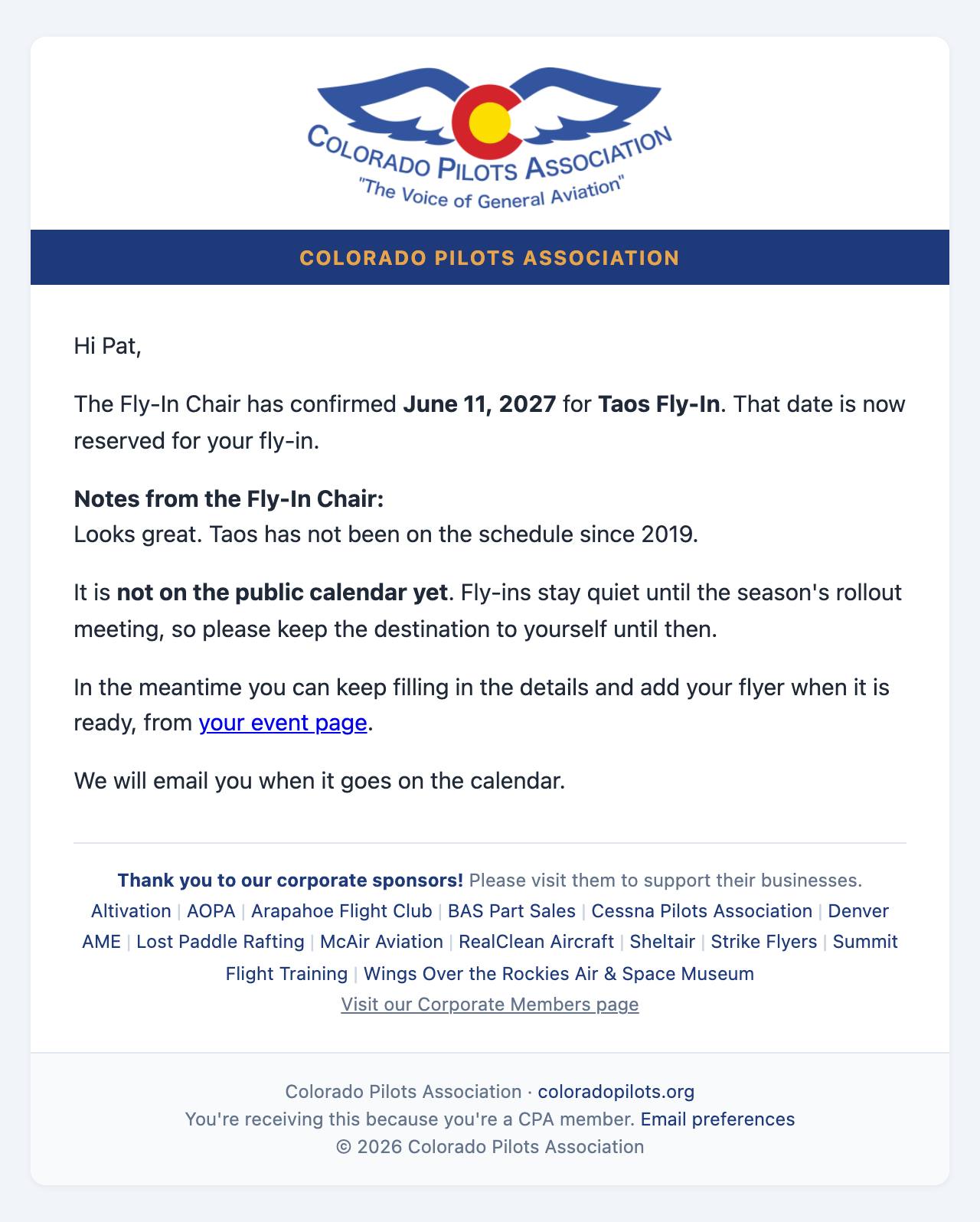
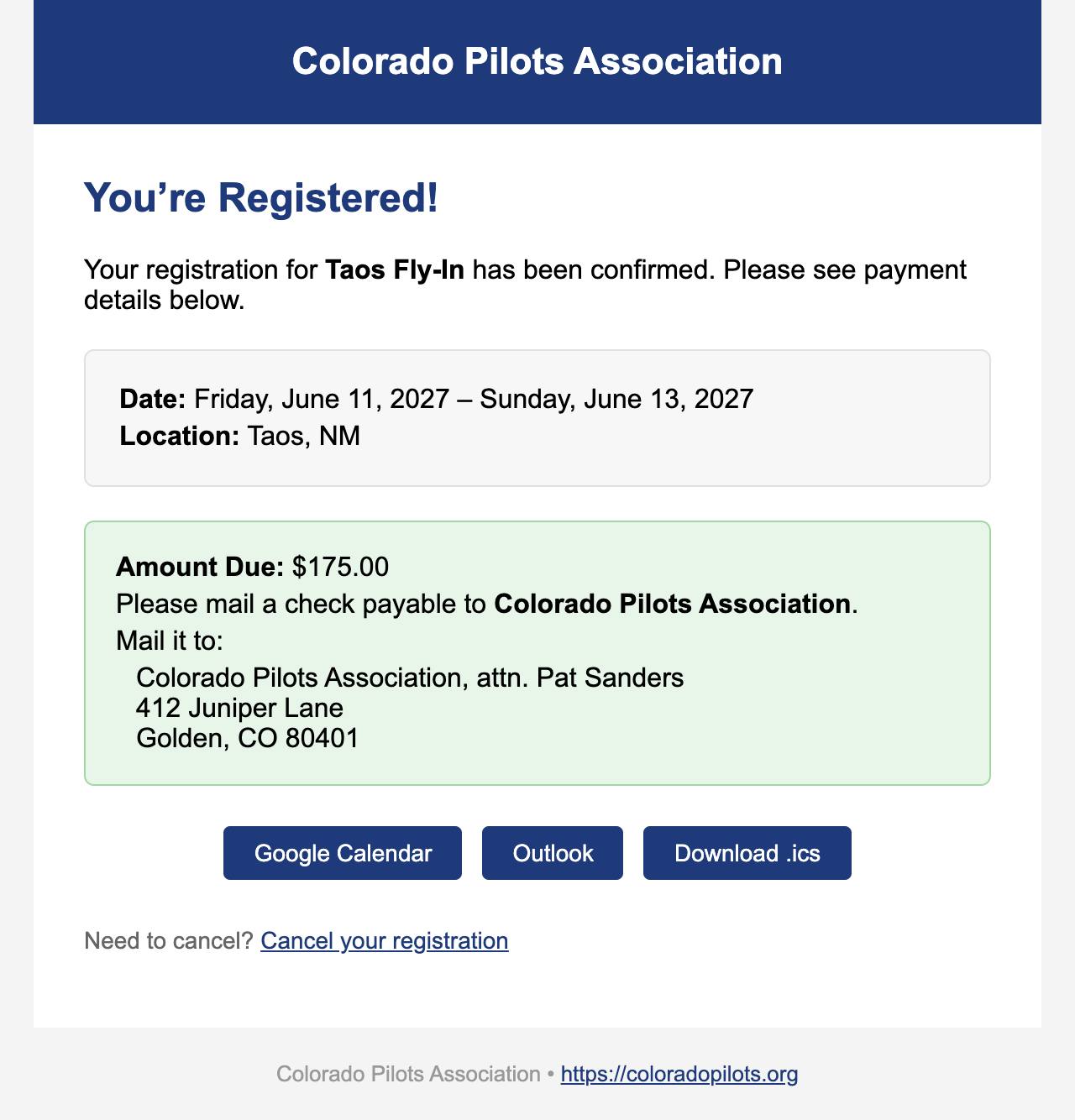
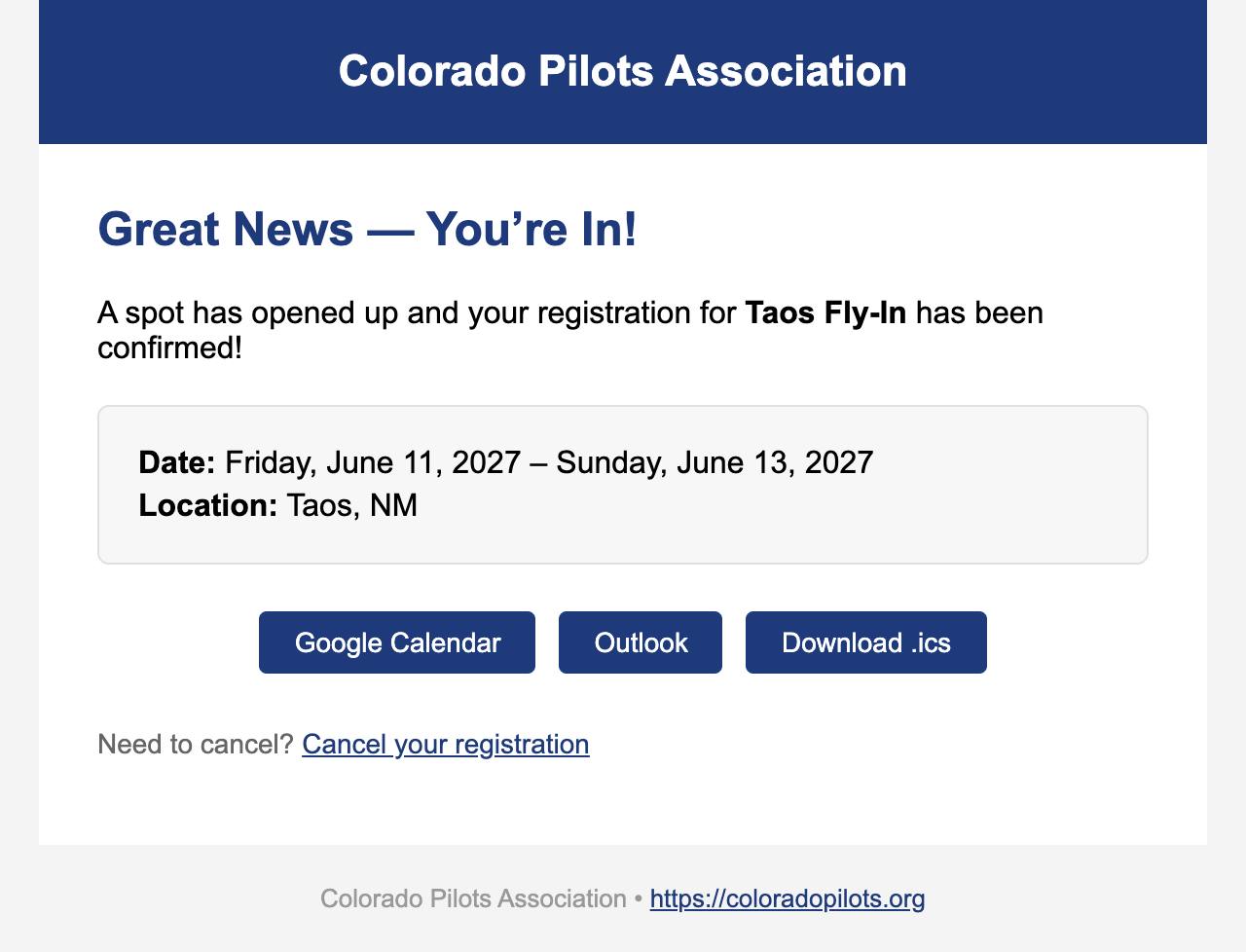
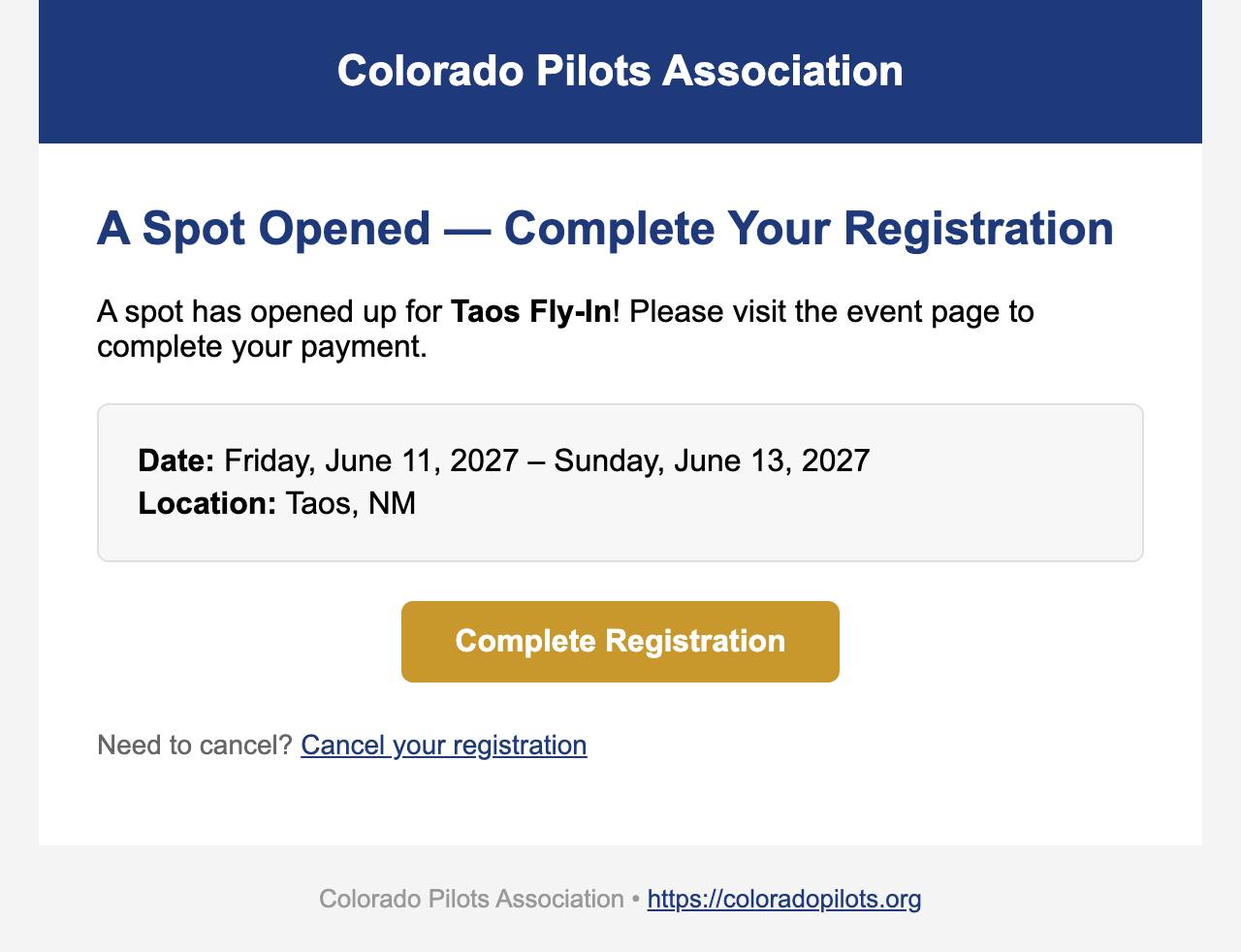
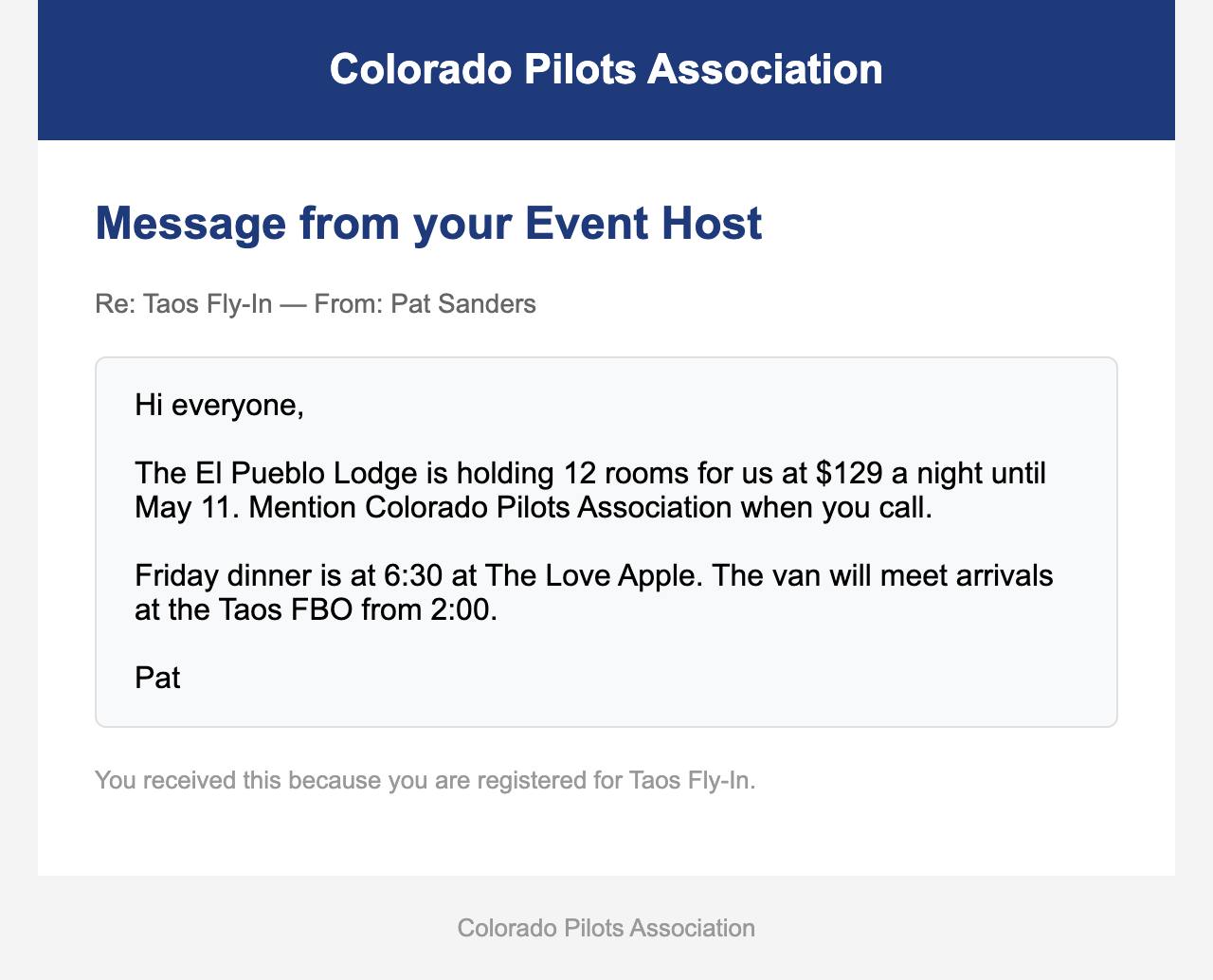
These are the real emails, produced by the website itself from a made-up "Taos Fly-In" hosted by "Pat Sanders". The website sends each one on its own as the fly-in moves along. They are grouped by who receives them, in the order they arrive.
Emails for the Fly-In Chair, the Treasurer and the Flight Lines editor go to whoever holds that seat on the website. If a seat is empty, the webmaster gets the email to pass on. Replying to the host emails reaches the Fly-In Chair.
To you, the host
You do not get an email for each sign-up. The Roster tab shows them as they arrive.
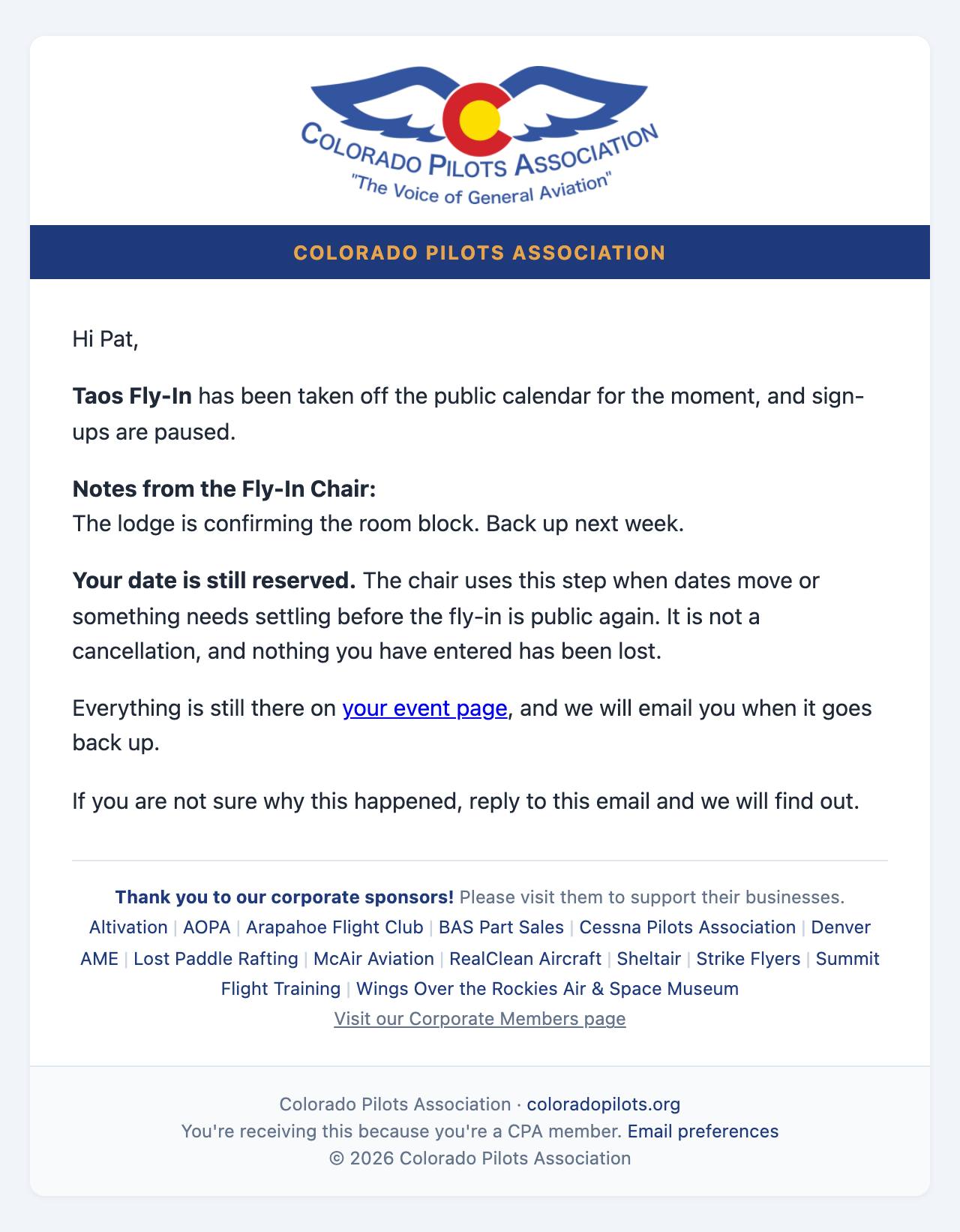
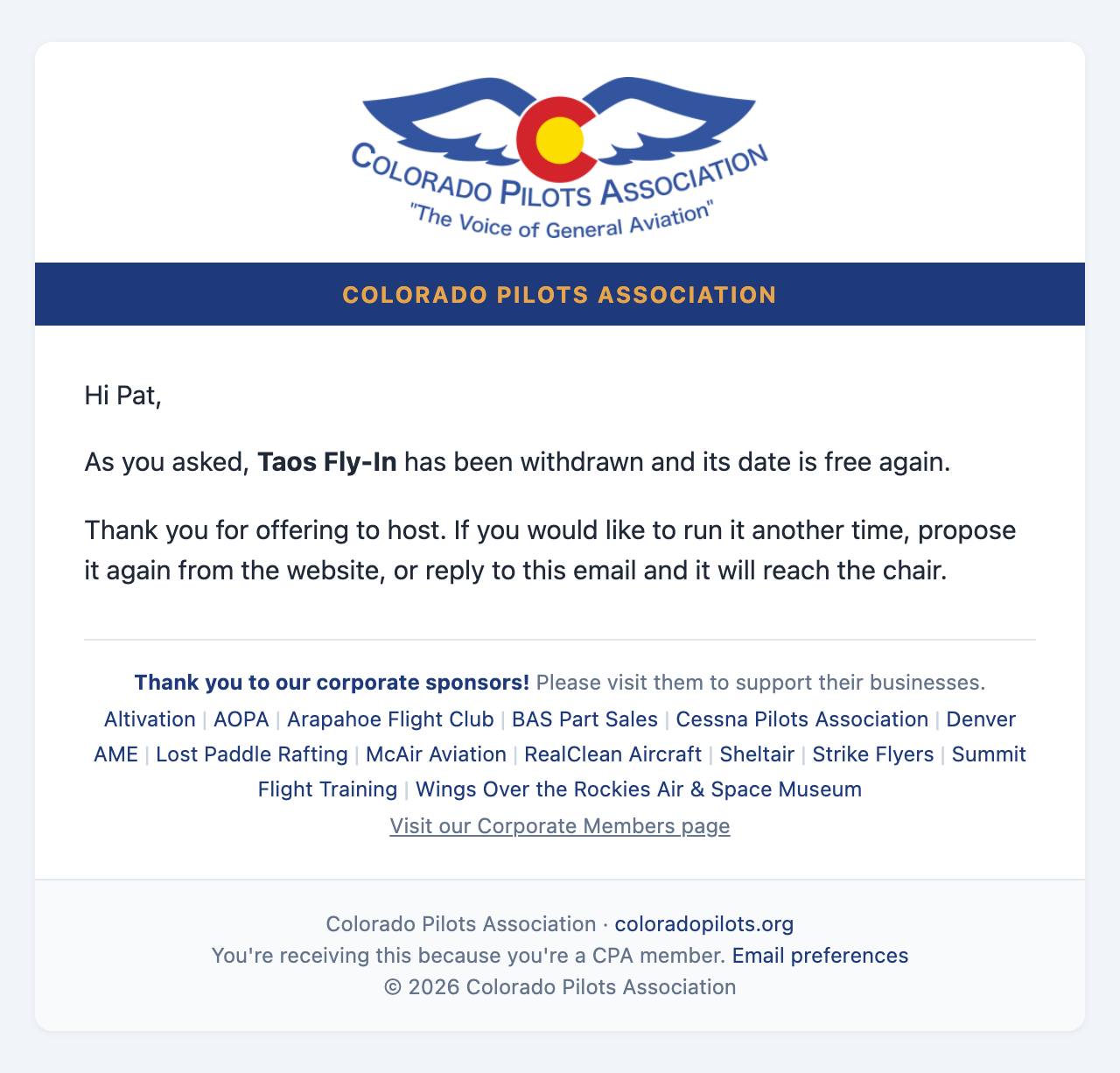
Your date is reservedDate reserved: Taos Fly-InThe chair asks you to move your datePlease pick another date: Taos Fly-InThe chair asks for changes to your flyerA few changes to your flyer: Taos Fly-InThe chair approves your flyerYour flyer is set for Flight Lines: Taos Fly-InYour fly-in goes publicLive on the calendar: Taos Fly-InThree weeks before your Flyer is due, and on the day if it is not inYour flyer is due Saturday, March 13: Taos Fly-InThe chair takes it off the calendar for nowTaken off the calendar for now: Taos Fly-InYou ask to withdrawWithdrawn: Taos Fly-In3 days after you finalize the eventCPA Fly-In Wrap-Up: Taos Fly-In, share your story and photos
To the Fly-In Chair
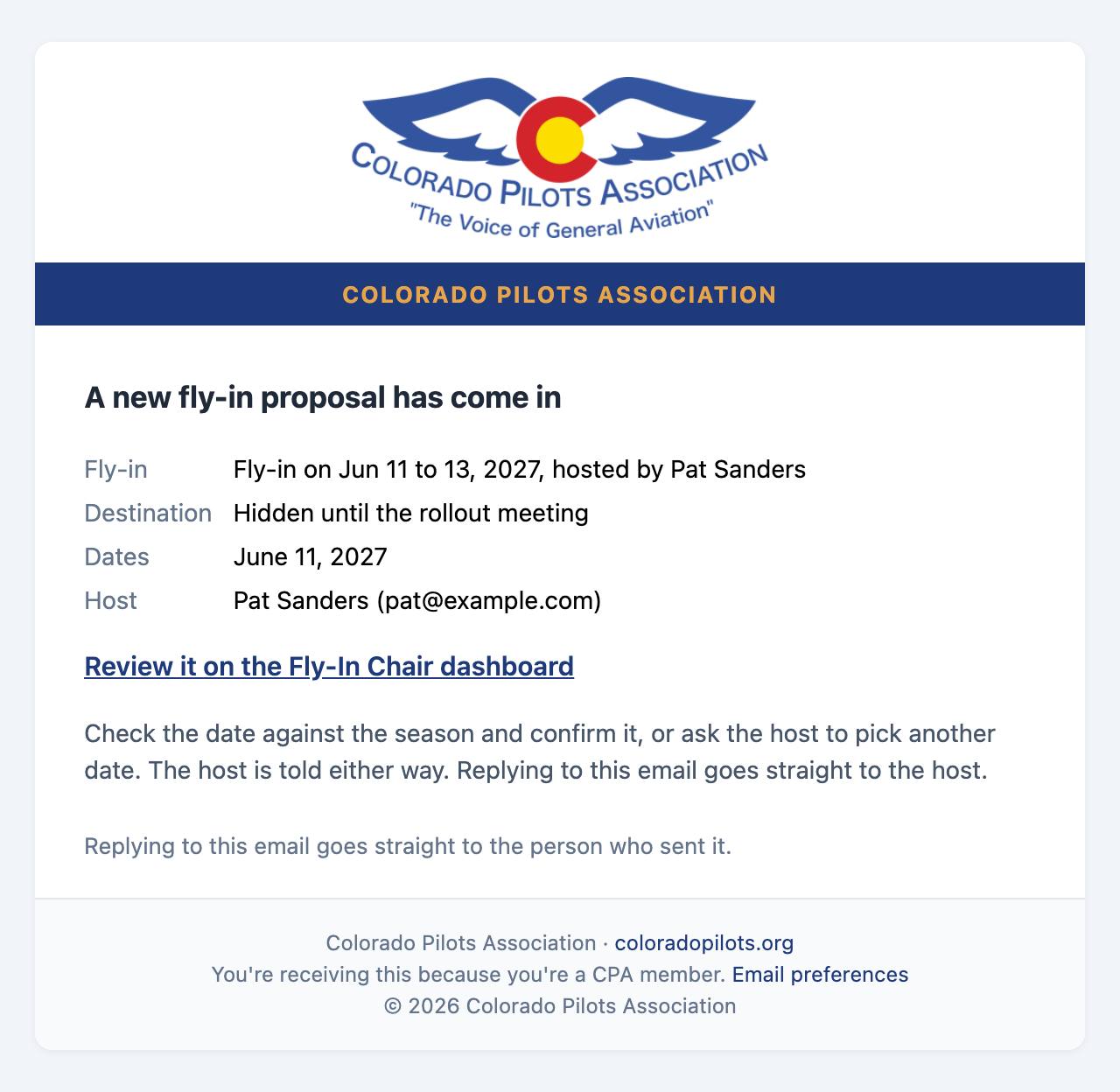
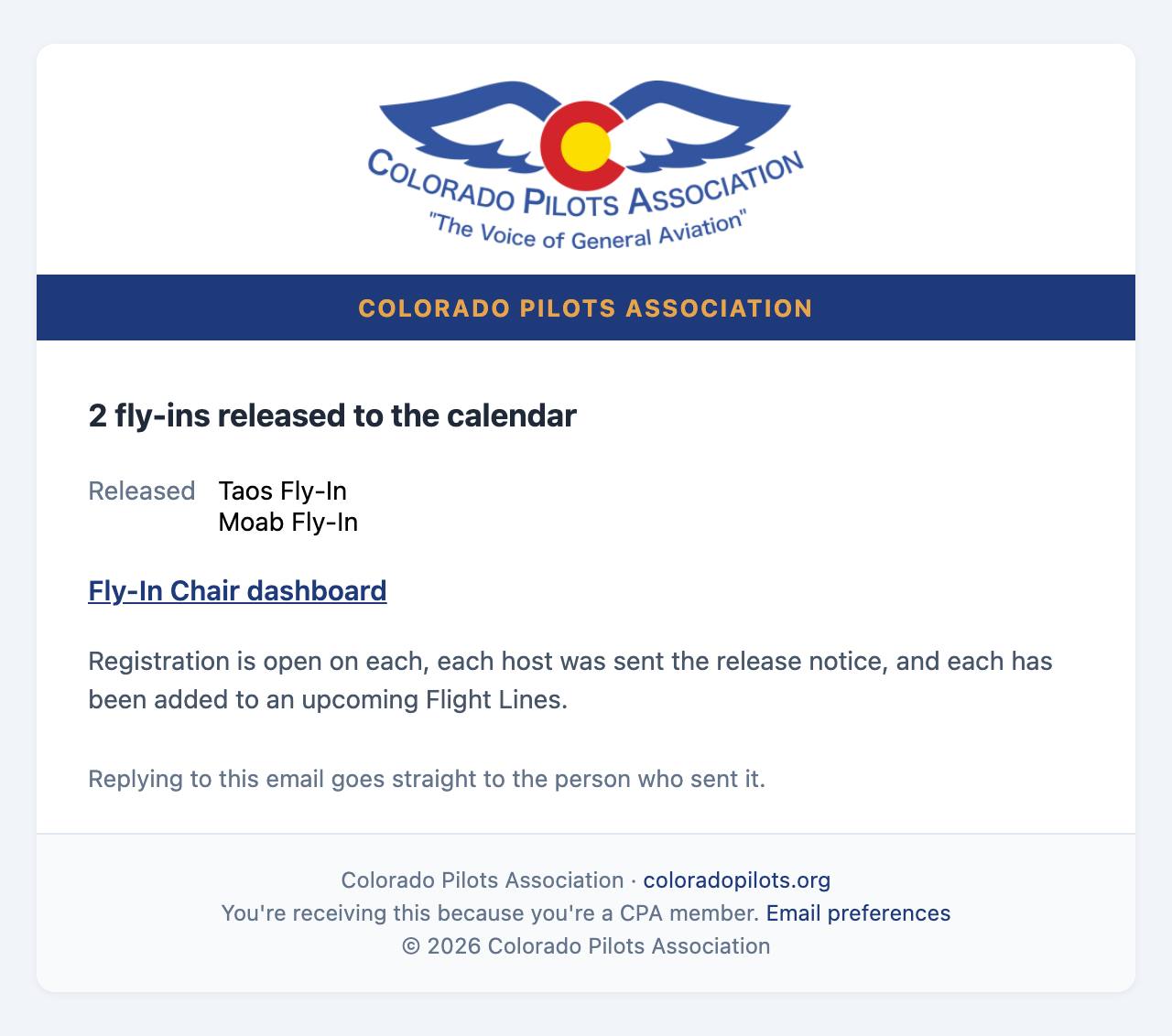
The chair is emailed whenever a host reserves or moves a date, and can ask a host to move one. The chair also reviews flyers and releases fly-ins on the Fly-In Chair dashboard; the host is emailed after each of those. Replying to the Date(s) Reserved notice goes straight to the host.
A host reserves or moves date(s) (before the rollout meeting)Date(s) Reserved: Fly-in on Jun 11 to 13, 2027, hosted by Pat SandersFly-ins scheduled to go public go live2 fly-ins released to the calendar
To the Flight Lines editor
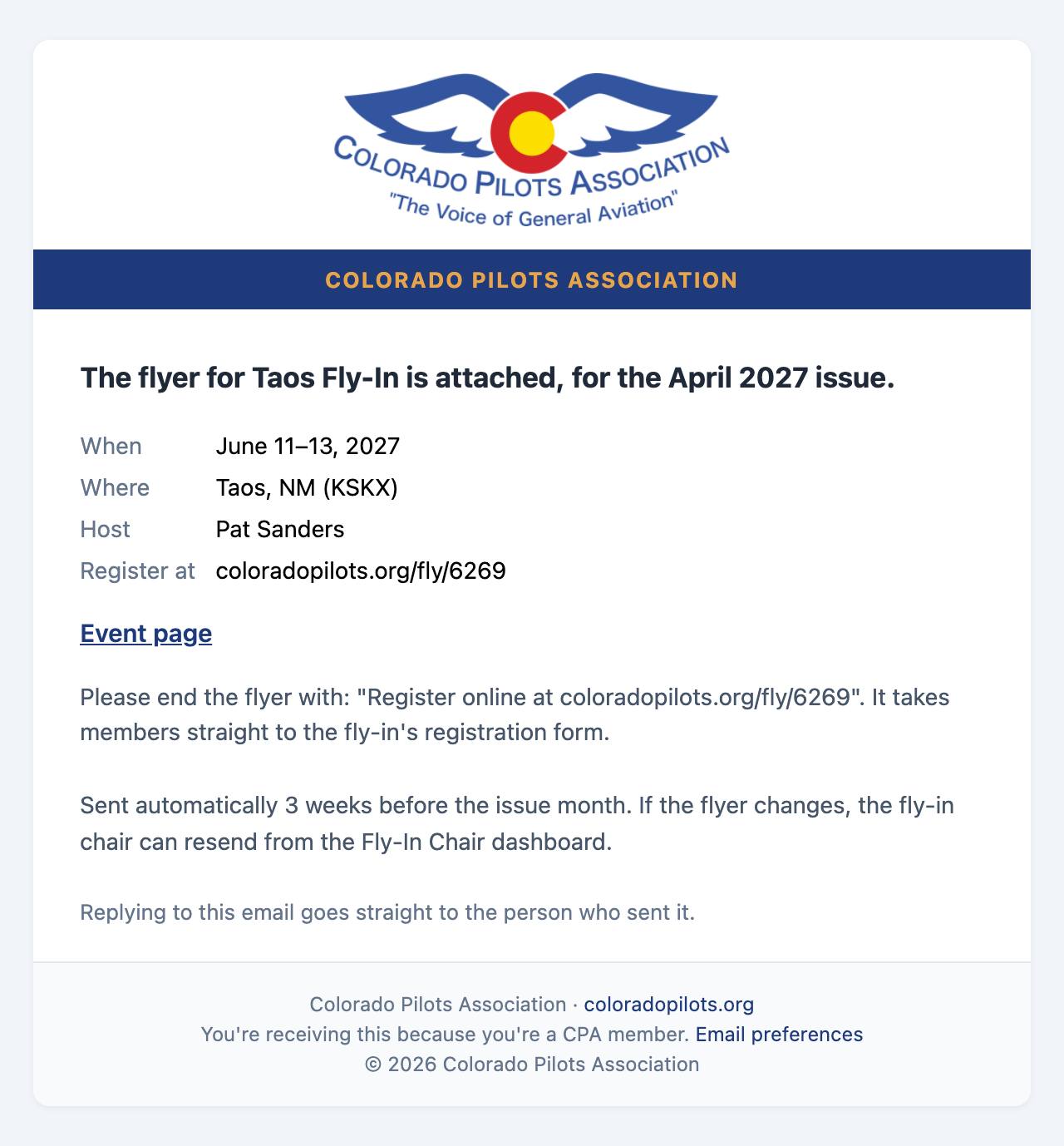
3 weeks before the month of the issueFor April 2027: flyer for Taos Fly-In
To members
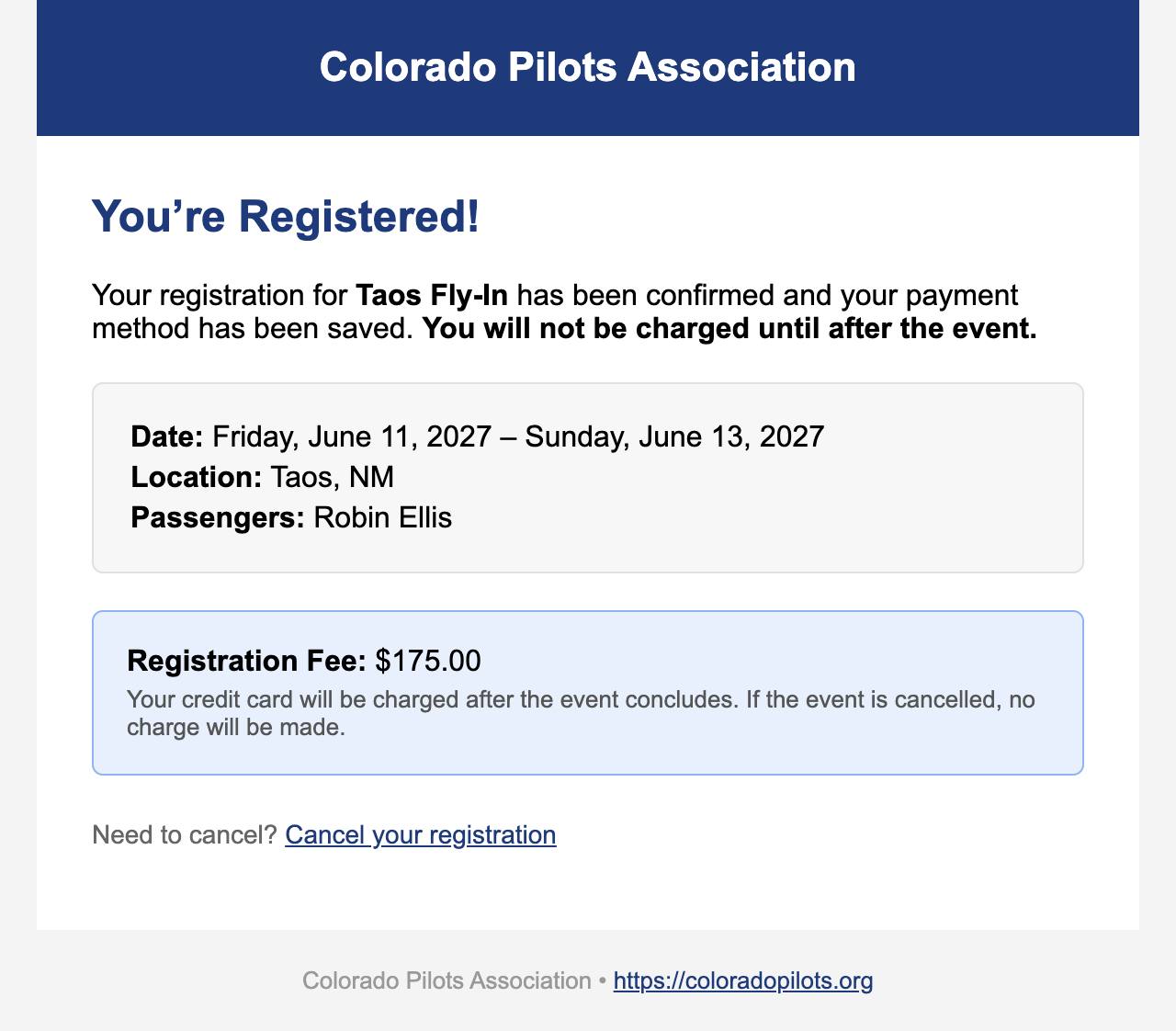
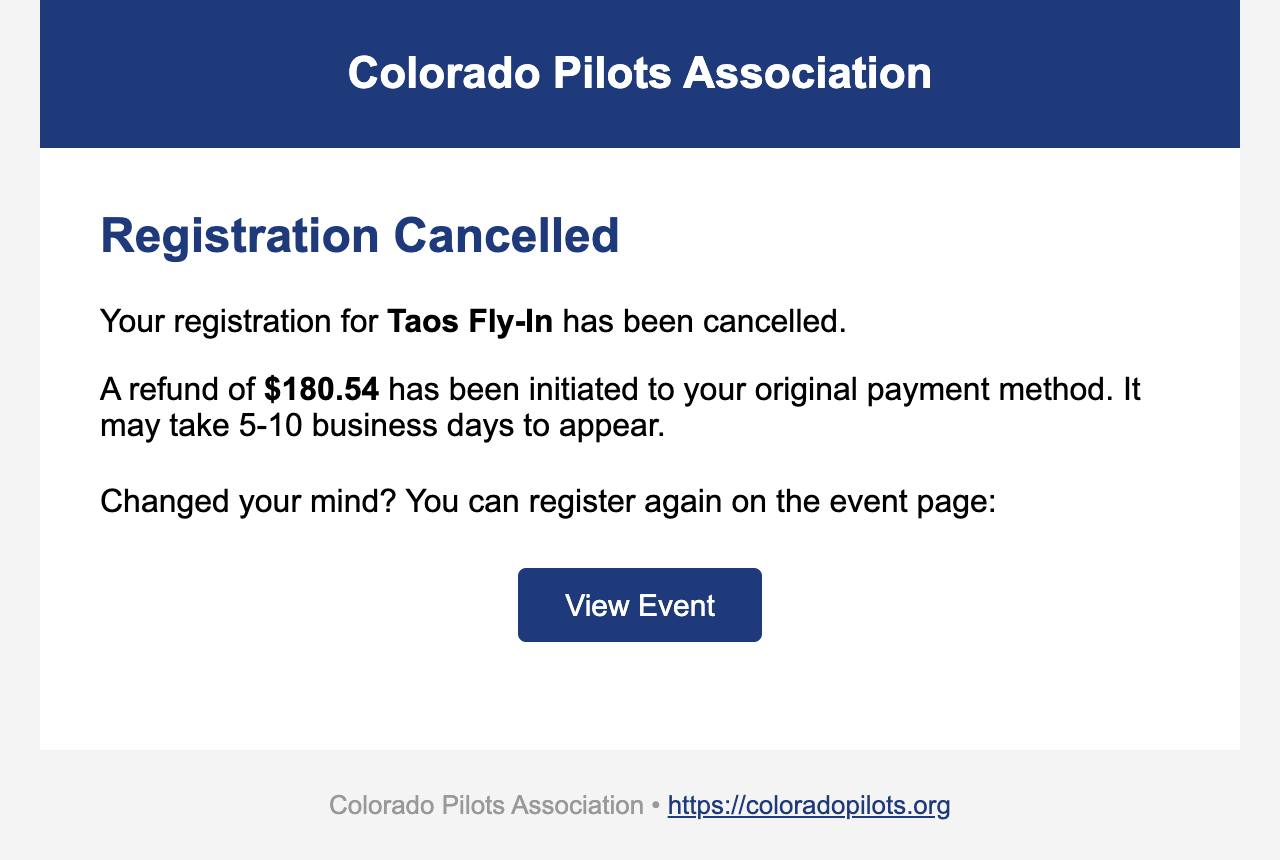
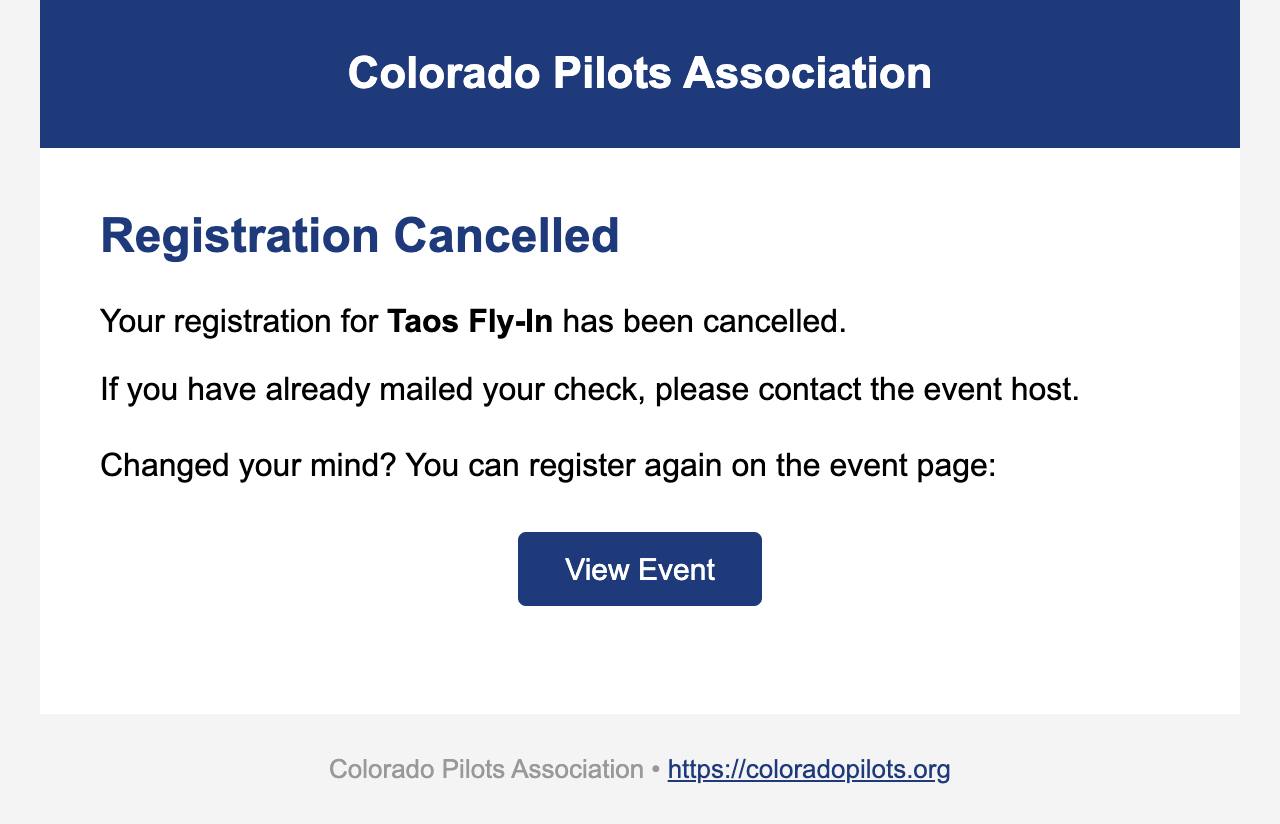
They sign up and save a cardRegistration Confirmed: Taos Fly-InThey sign up to pay by checkRegistration Confirmed: Taos Fly-InThe trip is full when they sign upWaitlisted: Taos Fly-InSomeone cancels and they move upA Spot Opened Up! Taos Fly-InThey move up but still need to choose how to payA Spot Opened Up, Action Needed: Taos Fly-InYou send a Group Email(the subject you write)You press Process Charges after the tripPayment Received: Taos Fly-InThey cancel after a card was chargedRegistration Cancelled: Taos Fly-InThey cancel while paying by checkRegistration Cancelled: Taos Fly-In
Reminders to members (only when switched on)
These go out only when they are switched on for your fly-in. You switch them on or off yourself under "Reminder emails before the trip" at the top of the Group Email tab; the Fly-In Chair and site administrators can too. Each goes out on its date, and one whose date has passed when you switch them on is skipped. If you would rather write your own, leave them off and use Group Email.
About 30 days before the tripHotel Reminder: Taos Fly-In, book by May 11, 2027One week beforeOne Week Out: Taos Fly-In, 5 pilots registered!
To the Treasurer
The link takes her to "Fly-ins to close out" on the Treasurer dashboard, where she marks your reimbursement and any refunds mailed.
You press Email Financial Report to TreasurerCPA Fly-In Financial Report: Taos Fly-In - June 11, 2027 - June 13, 2027
Step 10 of 10
Questions and answers
Press a question to see its answer.
The plan
Is the website replacing Bill's fly-in process?
No. It follows the Fly-In Planning Guide step for step: date first, destination kept quiet until the rollout meeting, the flyer through the Fly-In Chair and into Flight Lines, checks payable to CPA, and the Roster / Accounting form to the Treasurer. Flight Lines still carries every flyer; the website is where members sign up.
Do I have to gather anything new?
No. Every box on your fly-in's management page is something the Planning Guide already asks you to gather for your flyer or your Roster / Accounting form. You type it once, in one place, instead of into a flyer, a roster and a spreadsheet.
I don't have a destination or a flyer yet. Can I still ask for a date?
Yes. Create a Fly-In asks only for your date(s). Add the destination, the flyer and everything else later from your event page.
How do I get back to my fly-in's management page?
Go to My Account, then My Events: your fly-ins are listed under "Fly-ins you're hosting", each with an Open management page button. The emails the site sends you link to it too, and once your fly-in is on the calendar its page has an Event Management button.
Can the Fly-In Chair see my practice fly-in?
Yes, so they can help with your questions. Practice fly-ins never go to the Fly-In Chair's Date(s) Requested list or inbox, but the Fly-In Chair (or a site admin) can open yours to see exactly what you see while you talk it through. They can look but not change anything; only you can. The page says plainly that it is a practice, not a real fly-in.
Can I change details after I submit?
Yes, at any time, from your event page. If you change the flyer after the chair approved it, the chair looks at it again before it goes to Flight Lines.
Who can see my fly-in before the rollout meeting?
Only the Fly-In Chair, and until the rollout meeting the chair's notice shows just your dates and your name, not where you are going. It is not on the calendar until the chair releases it.
Money and cards
Does CPA or the website keep members' card numbers?
No. Members type their card on Stripe's own secure page, never on CPA's website. Stripe, the payment company, keeps the card. The website and the host never see the number.
Does the host ever hold the money?
Never card money: card payments go from Stripe straight into CPA's bank account, which the Treasurer manages. Checks come to you, always payable to Colorado Pilots Association, and you send them all to the Treasurer after the trip, as the Planning Guide describes.
When are cards charged?
Only after the trip, when you press Process Charges. Before that, nothing is charged. You can change an amount, or skip someone, before you press it.
What if the fly-in is canceled?
Saved cards are never charged. The sign-up email tells members this in so many words.
What does paying by card cost the member?
A card processing fee of 2.9% plus 30 cents is added, so CPA receives the full fee. Members see it before they choose. Paying by check or bank transfer has no fee.
Can members still pay by check?
Yes. Checks are payable to Colorado Pilots Association and mailed to you, at the address on your membership record or a different one you choose on Event Details. Mark each one received when it arrives.
What do I do with the checks?
Mark each one received on the Summary tab and keep them together. After the trip, mail them all to the Treasurer with your receipts, as the Planning Guide describes. If one was made out to you by mistake, endorse it to CPA before mailing it.
A member canceled after their card was charged. What happens?
The refund goes back to their card through Stripe, and they get an email with the amount. It can take 5 to 10 business days to show.
How do I get reimbursed for what I paid for?
Add each expense on the Expenses tab, add your mailing address on Financials, and press Email Financial Report to Treasurer. The Treasurer mails your check; Financials shows "Reimbursement sent" when it is on its way.
Do I still keep my paper receipts?
Photograph them on the Expenses tab so the Treasurer can see them, and mail the paper with your checks, as the Planning Guide describes. Once you, and anyone else owed money, have been reimbursed, the receipts may be discarded.
Sign-ups and people
What happens when the trip fills up?
Later sign-ups go on a waiting list in the order they signed up. When someone cancels, the next person moves up automatically and gets an email.
How does a member cancel?
With the cancel link in their confirmation email, or by signing in and pressing Cancel Registration on the fly-in's page. A card that was already charged is refunded, and the next person on the waiting list moves up.
Do I get an email every time someone signs up?
No. The Roster tab shows sign-ups as they arrive.
Who can see the roster, phone numbers and emergency contacts?
You, the Fly-In Chair, the Treasurer, and CPA's officers and committee chairs see everything. By default, people who have signed up see a "Who's coming" list on the fly-in's page (Show Roster To on Event Details sets who else can) with names, passengers, aircraft, N-numbers and home airports only: no phone numbers, emails or emergency contacts. The roster you email before the trip goes only to the people coming, and, as the Planning Guide's roster does, it adds each pilot's cell phone and email from their sign-up so attendees can coordinate flights and airplane seats. It never shows emergency contacts or amounts paid. A member who keeps their tail number private has it left off both, and the live tracker shows their name instead of the tail.
How do I send everyone the hotel details or a weather call?
Use the Group Email tab. It goes to everyone signed up.
Will members get reminder emails before the trip?
Only if they are switched on for your fly-in. You can switch them on yourself at the top of the Group Email tab; the Fly-In Chair can too. Or leave them off and send your own with Group Email.
How do attendees get the roster?
Press Email the roster on the Group Email tab. It is the roster portion of the Roster / Accounting form, with each pilot's cell phone and email from their sign-up, and without emergency contacts or amounts paid (see step 5). The full form, with income and expenses, goes to the Treasurer after the trip as the Financial Report, from the Financials tab.
Can I do all this from my phone?
Yes. The pages work on a phone, and on the Expenses tab "Take a photo" opens your phone's camera to read a receipt and keep it with the expense.
Help
Who do I ask when I'm stuck?
The Fly-In Chair, through the Contact page. If something on the website looks wrong, press the FEEDBACK tab on the side of any page and describe it; you can attach a screenshot.